



You pick up the phone, and a customer asks for help with billing. You’re in sales. Do you hang up and tell them to call back? Or do you keep them on hold while you dig through a directory? Neither works well. This is where call transfer is a telephony feature that allows a user already on an active call to relocate that live conversation to another destination such as a different extension, external number, queue, or department without forcing the caller to hang up and redial. It keeps the conversation alive and moves it to the right person instantly.
In modern business communications, moving calls between extensions is one of the most used features in any VoIP system. Whether you are using a desk phone, a softphone app, or a contact center dashboard, understanding how transfers work-and choosing the right type-can save your customers time and reduce frustration. Let’s look at how this works under the hood and how you can use it effectively.
What Is Call Transfer?
At its core, call transfer is about redirecting an active voice connection. When you answer a call, you become Party A. The caller is Party B. If you need someone else to handle the issue, you introduce Party C-the colleague, department, or voicemail box who will take over.
This is different from call forwarding is a pre-answer routing rule that sends incoming calls to another number before anyone answers them. Forwarding happens automatically based on settings. Transfer happens manually after you have already spoken to the caller. According to industry glossaries from 2026, including updates from Safina.ai and Revenue.io, this distinction is critical: forwarding sets expectations before the ring; transfer manages momentum during the conversation.
The technology behind this has evolved from legacy TDM systems to modern IP-PBX architectures using protocols like SIP and H.323. However, the user experience remains simple: press a button, dial a number, and connect. The complexity lies in choosing between the two main methods: blind and attended.
Blind vs. Attended Transfers: Which Should You Use?
Not all transfers are created equal. The choice between sending a call directly or checking with the recipient first defines the customer experience.
| Feature | Blind Transfer (Cold) | Attended Transfer (Warm) |
|---|---|---|
| Process | Send call immediately to target extension. | Place caller on hold, speak to target, then connect. |
| Speed | Fastest option. | Takes extra seconds for consultation. |
| Risk | Caller may hit voicemail or wrong person. | Low risk; recipient confirms availability. |
| Best For | Simple routing (e.g., "Connect me to Billing"). | Complex issues requiring context handoff. |
| Customer Experience | Can feel abrupt if not expected. | Feels personalized and cared for. |
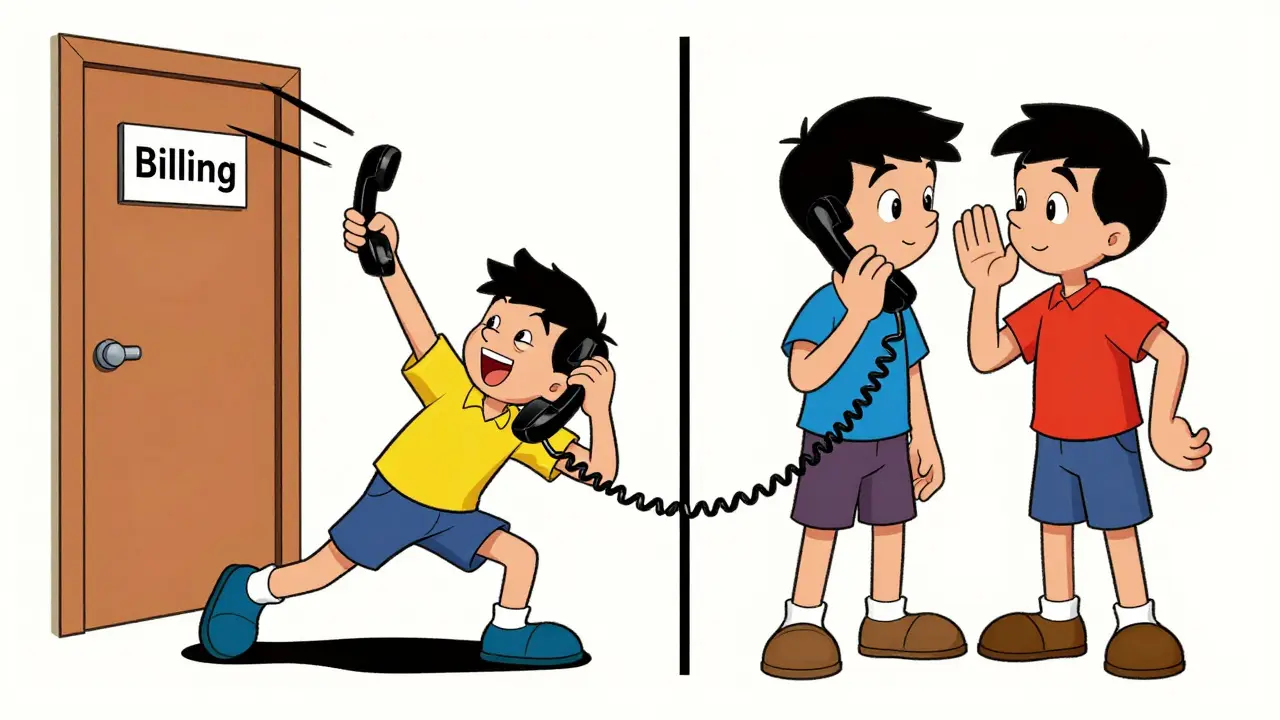
A blind transfer is a method where the agent moves the call to another person or extension without talking to that person first. You dial the extension, and the system connects the caller directly. This is efficient when the destination is obvious, like transferring to a main reception line or a known department queue. However, if that extension is busy or goes to voicemail, the caller is stuck. They might have to start over, which leads to the dreaded "bouncing" effect.
An attended transfer is a method where the initial agent speaks to the receiving colleague before connecting the caller, allowing them to brief the colleague and confirm availability. Also called a warm transfer, this puts the caller on hold briefly. You call your colleague, say, "Hey, I have a customer asking about invoice #123, can you take it?" Once they agree, you complete the transfer. The caller hears a short pause but then connects directly to the right person with full context. Best practices from 2026 guides emphasize using warm transfers for sensitive or complex issues to prevent callers from repeating their story.
How to Transfer Calls Between Extensions
The mechanics vary slightly depending on your hardware or software, but the logic is universal. Here is how it typically works across popular platforms.
Using Feature Codes on Desk Phones
Most physical IP phones rely on DTMF feature codes. These are star (*) or pound (#) combinations that trigger specific actions. While every provider sets their own defaults, patterns are consistent:
- XonTel PBX: Dial *03 for blind transfer, *3 for attended.
- PBXme: Dial *2 for blind, *3 for attended.
- FusionPBX: Dial *1 to initiate transfer.
- PortSIP: Dial *54 for general transfer, *55 for direct-to-voicemail.
For example, on a Cisco IP phone, you would press the Transfer soft key, dial the 4-digit internal extension (like 101), and press Transfer again to finalize. On Zadarma’s free PBX, you might dial #101# for an unannounced transfer or *101# for a transfer with a voice notification.
Using Softphones and Web Consoles
If you use a computer-based softphone like RingCentral, Lumen, or Five9, the interface is graphical. You don’t memorize codes. Instead:
- Click the Transfer button while on the call.
- Type the name or extension of the colleague in the search bar.
- Choose Blind to send immediately or Consult to talk to them first.
- Some dashboards even allow drag-and-drop, letting you pull the active call icon onto a contact’s photo to transfer.
This visual approach reduces errors and speeds up training for new staff. As UCaaS markets grow-with forecasts reaching over $26 billion by 2029 according to Metrigy-these intuitive interfaces are becoming standard.
Understanding Extensions and Internal Routing
To transfer a call, you need to know where it’s going. In VoIP systems, destinations are identified by extensions are short internal numbers, typically 2 to 4 digits, that map to specific users, features, queues, or departments inside a business phone system. Unlike external phone numbers, extensions are private to your organization.
Administrators often organize extensions logically. For instance, extensions 100-199 might be assigned to Sales, while 200-299 go to Support. This makes it easier for employees to remember who to call. OnSIP’s 2026 guidelines recommend keeping these ranges simple and documenting them in internal directories. When you transfer a call to extension 105, the PBX server routes the audio stream internally without touching the public telephone network, making it instant and free.
Advanced setups also allow transfers to virtual queues or groups. Instead of calling John at extension 102, you might transfer to "Group-Support," which rings all available support agents simultaneously. This ensures the call lands with whoever is free, improving response times.

Common Pitfalls and How to Avoid Them
Even with easy-to-use tools, mistakes happen. Here are the most common issues users face when transferring calls:
- Accidental Holds: Pressing Hold instead of Transfer leaves the caller listening to music indefinitely. Always check the screen label before pressing keys.
- Missing the Final Step: In attended transfers, forgetting to hang up or press Complete can leave the caller on hold while you talk to your colleague. Make sure you finalize the action.
- Wrong Extension: Dialing a similar-sounding number (e.g., 101 vs. 110) sends the caller to the wrong desk. Use name-search features in softphones to avoid typos.
- Voicemail Dead Ends: Blind transferring to a busy line often dumps the caller into voicemail. If the target is likely unavailable, use an attended transfer to verify they can take the call.
Training plays a huge role here. Companies that standardize on one method-such as always using warm transfers for external customers-see fewer complaints about dropped connections. Consistency builds trust.
Future Trends in Call Transfer
While the basic function hasn’t changed much, the intelligence behind it is evolving. Modern Contact Center as a Service (CCaaS) platforms integrate AI and CRM data to automate parts of the process. Imagine a scenario where the system detects a high-value customer and automatically suggests the best-suited specialist for a warm transfer, complete with a summary of previous interactions.
Additionally, skills-based routing combined with IVR (Interactive Voice Response) allows customers to self-select their destination. They press "2" for billing, and the system transfers them directly to the billing queue without human intervention. This reduces manual workload and improves accuracy.
Despite these advancements, the core principle remains: get the caller to the right person quickly and politely. Whether you are using a 20-year-old PBX or the latest cloud platform, mastering call transfer is essential for smooth business operations.
What is the difference between call transfer and call forwarding?
Call forwarding redirects incoming calls to another number before anyone answers them, based on preset rules. Call transfer happens during an active conversation, allowing the current speaker to move the live call to another extension or person after answering.
Which is better: blind or attended transfer?
It depends on the situation. Blind transfer is faster and good for simple, predictable routing. Attended (warm) transfer is better for complex issues because it lets you brief the colleague and confirm they are available, providing a smoother customer experience.
How do I find the feature code for call transfer?
Feature codes vary by provider. Common codes include *2, *3, or ##. Check your specific PBX documentation (e.g., XonTel, PBXme, PortSIP) or ask your IT administrator for the exact codes configured for your system.
Can I transfer a call to voicemail?
Yes. Many systems support direct-to-voicemail transfers. For example, PortSIP uses code *55, and RingCentral offers a "Send to Voicemail" option in its app. This is useful when the target user is unavailable but you want the caller to leave a message.
Why does my call stay on hold after I try to transfer?
This usually happens if you forget to complete the final step of an attended transfer. After speaking to the colleague, you must press the Transfer button again or hang up to connect the caller. If you just end your side of the conversation, the caller remains on hold.








Francis Laquerre
15 Jul 2026 at 03:44I remember back in the day when we just yelled across the office to get someone on the line. The concept of a blind transfer feels so cold and abrupt now, doesn't it? It is like throwing a package at someone without checking if they are home. I always found that putting the caller on hold for just ten seconds to whisper 'hey, this guy needs help with billing' made all the difference in how the conversation flowed later. It adds a human touch that technology often strips away.