



Nonprofit budgets are tight. Every dollar spent on overhead is a dollar not spent on your mission. For years, organizations have accepted high phone bills as an unavoidable cost of doing business. But that mindset is outdated. Switching to Voice over Internet Protocol (VoIP), also known as cloud telephony, is a technology that transmits voice calls over the internet instead of traditional copper lines. It is no longer just a tech upgrade; it is a financial strategy.
Industry data shows that nonprofits can reduce their telecom costs by 30% to 60% by moving from legacy landlines or T1 systems to cloud-based VoIP. This isn't about getting fancy features you don't need. It's about eliminating per-line charges, long-distance fees, and expensive hardware maintenance. With the right provider and discount program, you can keep donor hotlines open, support remote staff, and save thousands annually without sacrificing call quality.
Why Nonprofits Need Cloud VoIP Now
The shift from analog phones to digital communication has accelerated rapidly. In the past, if you wanted a multi-location system with auto-attendants and call routing, you needed a physical Private Branch Exchange (PBX) box in your server room. That meant buying hardware, hiring IT staff to maintain it, and paying separate bills for local and long-distance minutes.
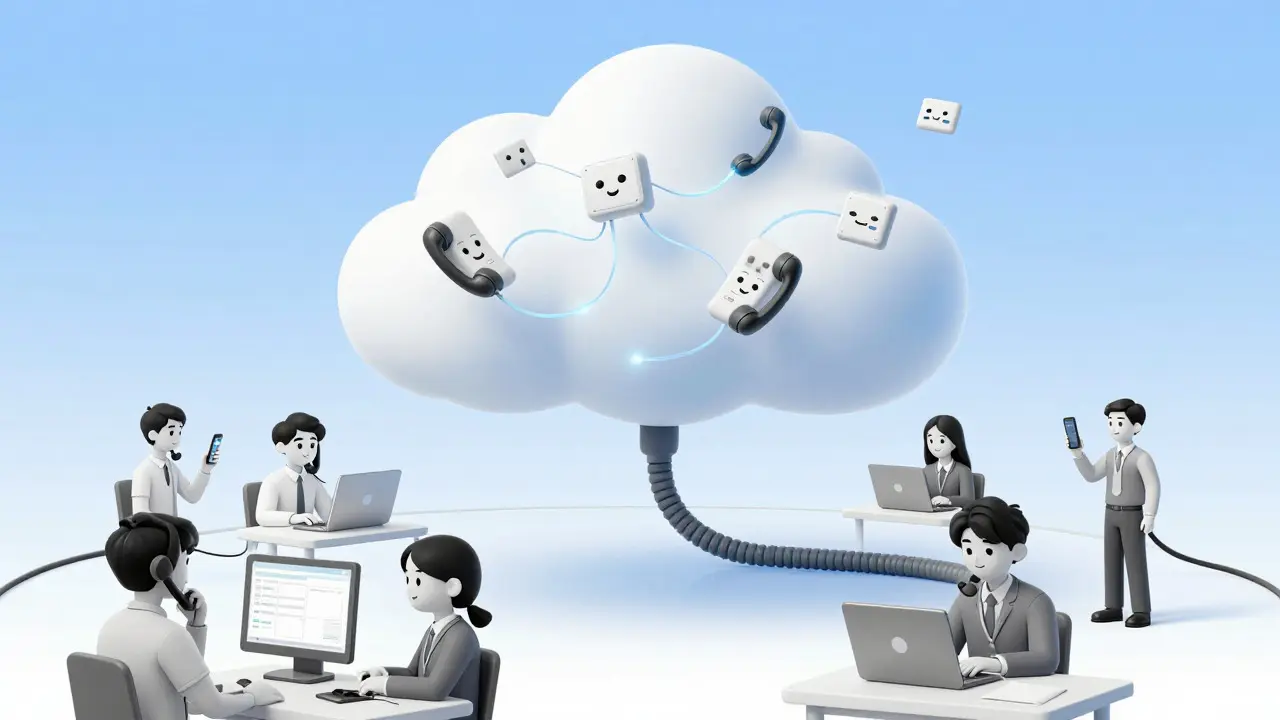
Today, most nonprofit VoIP deployments use a Cloud PBX or Unified Communications as a Service (UCaaS), which is a hosted service where call control, voicemail, and routing are managed by the provider’s servers. You connect via your existing internet connection using desk phones, softphones on computers, or mobile apps. The provider handles the upgrades, security patches, and infrastructure. This model removes the capital expenditure upfront and converts it into a predictable monthly subscription, often between $9.95 and $30 per user.
This flexibility is crucial for nonprofits. During a major fundraising drive, you might need ten extra lines for volunteers. With a traditional system, adding those lines takes weeks and costs hundreds of dollars each. With cloud VoIP, you add users instantly through a web dashboard, often paying only for what you use. When the campaign ends, you remove them. This scalability ensures you never pay for idle capacity.
Top Providers and Nonprofit Discount Programs
Not all VoIP providers treat nonprofits equally. Some offer formal discount programs, while others require negotiation. Understanding these options is key to maximizing savings. Here is how some of the leading platforms stack up for charitable organizations in 2026.
| Provider | Standard Price (Per User/Mo) | Nonprofit Discount Details | Best For |
|---|---|---|---|
| Zoom Phone | $19.95 - $49.95 | Up to 50% off select plans via Zoom Cares for verified 501(c)(3)s under $10M budget. | Organizations already using Zoom for meetings. |
| RingCentral | $30 - $45 | Up to 20% off standard pricing; requires proof of tax-exempt status. | Larger nonprofits needing robust unified communications. |
| Nextiva | $18.95 - $39.95 | Case-by-case negotiation; advertised starting at $15/user for nonprofits. | Mid-sized charities seeking strong customer support. |
| Ooma Office | $19.95 - $29.95 | No specific nonprofit tier, but low entry price and no contracts make it budget-friendly. | Small nonprofits wanting simplicity and predictability. |
| Dialpad | $15 - $25 | "Dialpad for Good" offers up to 30% off for first 50 seats in US/Canada. | Teams prioritizing AI transcription and messaging integration. |
| Voice2Net | CA$9.95 | Flat rate for nonprofits; 15% off hardware; 50% off installation. | Canadian nonprofits and micro-charities. |
For example, Zoom for Nonprofits is a standout option if your team already uses Zoom for video conferencing. By verifying your 501(c)(3) status through Goodstack, you can secure a global 50% discount on annual plans. This includes Zoom Workplace Pro and Webinars. The verification process typically takes 5-10 business days. Similarly, Dialpad’s social impact program provides significant savings for smaller teams, bundling voice, video, and AI-powered transcription into one platform.
If you are a smaller organization with limited IT resources, Ooma Office offers a compelling value proposition. Their all-inclusive pricing means no hidden fees for international calling or advanced features like call queues. While they don’t have a dedicated "nonprofit discount," the base price is so competitive that it often beats discounted rates from more complex enterprise providers.
Security and Compliance for Sensitive Data
Cost savings shouldn't come at the expense of security. Nonprofits handle sensitive data, including donor credit card information, client case details, and employee records. Moving to the cloud introduces new risks if not configured correctly.
The cornerstone of VoIP security is encryption. You must ensure your provider enables Transport Layer Security (TLS), which is a protocol that encrypts SIP signaling messages such as call setup and authentication and Secure Real-time Transport Protocol (SRTP), which is a protocol that encrypts the actual voice media streams using AES encryption. TLS protects the metadata-who is calling whom-while SRTP protects the audio content. Using one without the other leaves gaps. For instance, TLS without SRTP allows hackers to intercept the call setup but miss the audio, whereas SRTP without TLS exposes the encryption keys during the handshake. Both must be active for end-to-end protection.
Beyond encryption, basic hygiene matters. Change default passwords on all IP phones immediately. Enable two-factor authentication (2FA) for admin portals to prevent unauthorized access to call logs and settings. Segment your voice traffic onto a separate Virtual Local Area Network (VLAN) to isolate it from general office browsing. This reduces the risk of malware affecting your phone system.
If your nonprofit operates in healthcare or counseling, you likely need HIPAA compliance. Ensure your VoIP provider signs a Business Associate Agreement (BAA). Not all providers do this automatically. Check their compliance documentation before signing. Additionally, set up billing alerts to detect toll fraud. If someone compromises an account and starts making international premium-rate calls, you want to know within minutes, not at the end of the month when the bill arrives.
Implementation Steps for a Smooth Transition
Migrating to VoIP doesn't have to be disruptive. Many nonprofits complete the switch in under two weeks. However, poor planning leads to downtime and frustrated staff. Follow these steps to ensure a smooth transition.
- Audit Your Current Usage: Review your last six months of phone bills. Identify peak call times, long-distance patterns, and unused lines. This data helps you choose the right plan size and avoid over-provisioning.
- Check Your Internet Infrastructure: VoIP relies on stable broadband. Contact your ISP to confirm your bandwidth can handle simultaneous calls. A good rule of thumb is 100 Kbps upload/download per concurrent call. If you have 20 staff making calls at once, you need at least 2 Mbps dedicated to voice traffic. Consider Quality of Service (QoS) settings on your router to prioritize voice packets over email or web browsing.
- Choose Hardware Wisely: Do you need physical desk phones? Or can staff use softphones on laptops and smartphones? Physical phones offer better audio quality and dedicated handsets, but softphones reduce hardware costs. If you buy IP phones, look for models compatible with Session Initiation Protocol (SIP). Brands like Yealink and Grandstream are popular choices due to reliability and lower cost.
- Plan Call Flows: Map out how calls should be routed. Set up auto-attendants (IVRs) for main lines, directing donors to fundraising and clients to services. Configure after-hours handling so callers get a custom message rather than a generic busy signal. Test these flows internally before going live.
- Train Staff: Don’t assume everyone knows how to use the new system. Schedule brief training sessions covering basics like transferring calls, using hold music, and accessing voicemail via email. Provide a simple cheat sheet for common tasks.
- Go Live and Monitor: Port your numbers gradually if possible. Start with non-critical departments. Monitor call quality closely for the first week. Address any latency or jitter issues immediately by adjusting network settings or contacting your provider.
Real-world examples show this approach works. Local First Arizona migrated to Nextiva in just 10 days, porting all numbers and adding new capabilities without interrupting operations. The Shield Institute, a multi-location nonprofit in New York, replaced its aging T1 system and achieved 100% uptime over two years while cutting costs by more than 50%. These successes came from careful planning and leveraging provider support.
Common Pitfalls to Avoid
Even with a clear plan, mistakes happen. Be aware of these common traps.
- Ignoring Backup Connectivity: If your internet goes down, your phones go down. Always configure call forwarding to mobile devices as a failover. Consider having a secondary internet connection from a different provider for critical operations.
- Underestimating Setup Fees: Some providers advertise low monthly rates but charge hefty activation or porting fees. Ask for a full breakdown of one-time costs. Look for providers like Voice2Net that waive or heavily discount installation fees for nonprofits.
- Choosing Complexity Over Simplicity: Just because a feature exists doesn't mean you need it. Advanced AI analytics and CRM integrations are powerful, but they add cost and complexity. Start with core features like call routing, voicemail-to-email, and conference calling. Add bells and whistles later as your budget and expertise grow.
- Neglecting Vendor Support: Read reviews carefully. Community feedback often highlights support quality. A cheap provider with unresponsive support can cost you more in lost productivity during outages. Platforms like G2 and Trustpilot provide insights from other users. For instance, while RingCentral offers robust features, some nonprofit IT directors report mixed experiences with support responsiveness compared to competitors like Ooma or Nextiva.
Future Trends: AI and Unified Communications
The VoIP landscape is evolving. Artificial Intelligence is becoming integrated into phone systems. Features like automated transcription, sentiment analysis, and intelligent call routing are now available. For nonprofits, this means faster intake processes and better donor management. Imagine a system that transcribes every donation hotline call, tags keywords like "monthly gift" or "urgent need," and updates your CRM automatically. This saves staff hours of manual data entry.
Market projections indicate the global VoIP market will grow significantly, driven by demand for affordable, flexible communication tools. As UCaaS platforms mature, expect tighter integration with collaboration tools like Microsoft Teams and Slack. If your nonprofit already uses Microsoft 365, exploring Teams Phone with nonprofit licensing could be a cost-effective path forward, especially since incremental licensing costs are very low for verified 501(c)(3)s.
Ultimately, adopting VoIP is about aligning technology with your mission. By reducing overhead, improving reliability, and enabling remote work, you free up resources to focus on what matters most: serving your community. Take the time to research, compare, and implement wisely. The savings and operational benefits will pay for themselves quickly.
How much can a nonprofit save by switching to VoIP?
Most nonprofits see a reduction in telecom costs ranging from 30% to 60%. This comes from eliminating per-line charges, long-distance fees, and hardware maintenance. With specific nonprofit discount programs, savings can reach up to 50% on monthly subscriptions compared to standard business rates.
Do I need special internet for VoIP?
You don't need a special line, but you do need a stable, reliable broadband connection. Ensure your internet service provider supports Quality of Service (QoS) to prioritize voice traffic. A general guideline is 100 Kbps of upload and download bandwidth per concurrent call. If your current connection frequently drops or buffers video, it may not be suitable for VoIP without upgrades.
Is VoIP secure for handling donor information?
Yes, if configured correctly. Reputable providers use TLS for signaling encryption and SRTP for media encryption. To enhance security, enable two-factor authentication for admin accounts, segment voice traffic on a separate VLAN, and change default passwords on all devices. For healthcare-related nonprofits, ensure the provider signs a HIPAA-compliant Business Associate Agreement (BAA).
What happens to my phone calls if the internet goes down?
Without internet, VoIP calls cannot be made or received. To mitigate this, configure automatic call forwarding to staff mobile phones during outages. Many providers allow you to set up rules that trigger forwarding if the primary line becomes unreachable. Having a backup cellular hotspot or a secondary internet connection from a different provider adds further resilience.
Can I keep my existing phone number?
Yes, this process is called number porting. Most VoIP providers will transfer your existing local and toll-free numbers from your old carrier. The process usually takes 7 to 14 business days, though it can vary depending on the losing carrier. Ensure there are no outstanding balances or holds on your current account before initiating the port.









kimberly de Bruin
24 Jul 2026 at 22:32we chase efficiency like its a moral virtue but forget the human element in all this digital noise. saving fifty percent on phones is great sure but does it save the soul of the organization? i think we are optimizing for spreadsheets instead of connection. the cloud is just someone else's computer anyway.