



Imagine you’ve got a classic rotary phone sitting on your desk. Or maybe it’s a bulky office phone with buttons that click like a camera shutter. You love how solid it feels. But your internet phone service doesn’t recognize it. That’s where an Analog Terminal Adapter comes in. It’s not flashy. It doesn’t have a screen or Bluetooth. But for thousands of small businesses and homes, it’s the quiet hero keeping their old phones alive on a modern network.
What Exactly Is an ATA?
An Analog Terminal Adapter, or ATA, is a small box-usually about the size of a deck of cards-that plugs into your router and your analog phone. Its job? Translate the old-school electrical signals from your landline phone into digital data that can travel over the internet. Think of it like a translator for your phone. Your phone speaks analog. The internet speaks digital. The ATA bridges the gap.
Most ATAs have two ports: one for your phone (RJ-11, the same jack your landline uses) and one for your Ethernet cable (RJ-45). Some higher-end models even have a second phone port, letting you plug in two phones at once. A few even include an FXO port, which lets you hook up a traditional phone line as a backup if your internet goes down.
Inside, it’s doing some serious work. The ATA samples your voice 8,000 to 16,000 times per second, turns it into digital packets, and compresses it using codecs like G.711 (clear but bandwidth-heavy) or G.729 (smaller files, good for slow connections). Modern ATAs even support HD voice with G.722, making calls sound almost as crisp as a FaceTime call.
Why Do People Still Use ATAs in 2026?
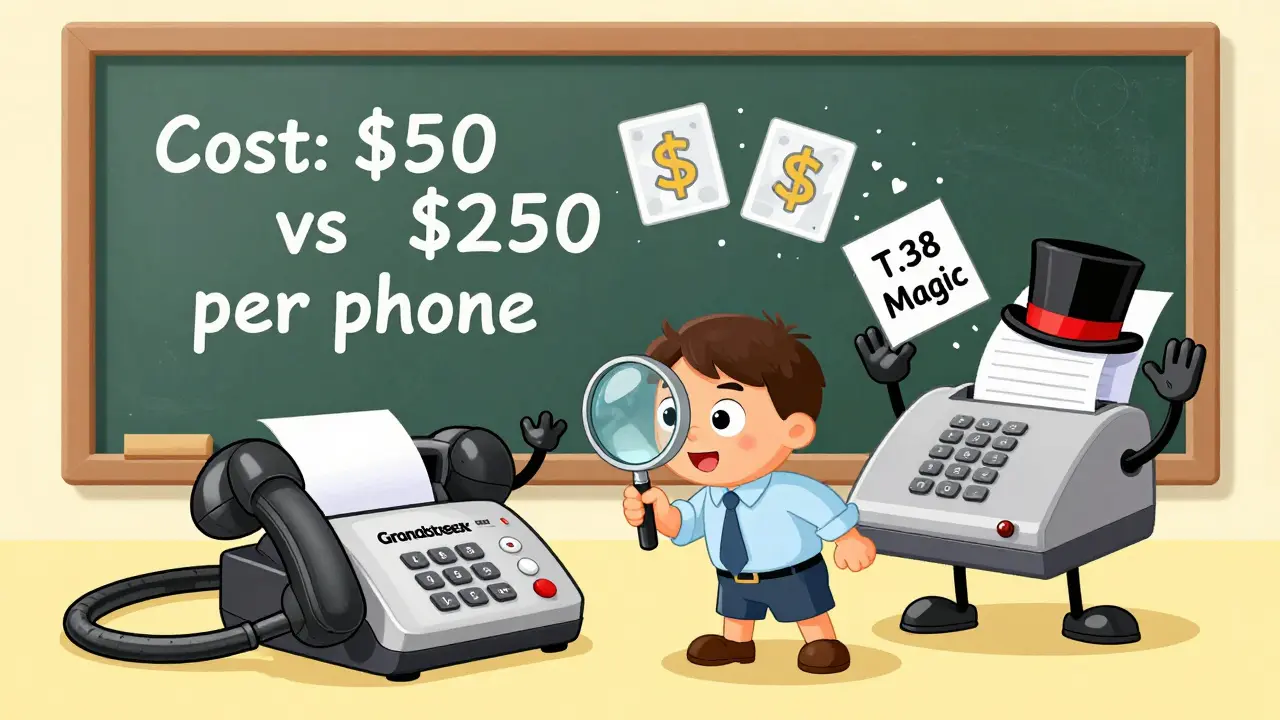
You’d think by now, everyone would’ve ditched analog phones. But here’s the truth: replacing every phone in a small office, clinic, or home-based business can cost thousands. A single IP phone runs $100-$250. An ATA? Around $50. That’s why 78% of the $2.3 billion analog-to-digital adapter market in 2025 was made up of ATAs, according to Grand View Research.
Small businesses keep them because:
- They’ve got 10+ old phones already paid for.
- Fax machines still run on analog signals-no IP fax machine can match the reliability of a fax machine hooked to an ATA with T.38 protocol.
- They don’t want to retrain staff on new interfaces.
- They’re waiting to upgrade-gradually.
Residential users use them too. Maybe they’re keeping their home phone number for legacy services-like alarm systems, medical alert pendants, or doorbell cameras that only accept analog lines. ATAs let them keep all that while switching to a cheaper VoIP provider.
How Does an ATA Work?
Here’s the simple breakdown:
- You plug your analog phone into the ATA’s RJ-11 port.
- You connect the ATA to your router via Ethernet.
- You power it on.
- You enter your VoIP provider’s settings (username, password, server address) into the ATA’s web interface.
- It registers with your VoIP service and starts converting voice.
That’s it. No complex wiring. No new phones. Most users get it running in under 15 minutes. A 2025 survey by WhichVOIP found 89% of small business users completed setup without professional help.
The magic happens in real time:
- Your voice hits the phone’s microphone → turns into analog electrical signals.
- The ATA’s analog-to-digital converter samples those signals.
- It compresses them with a codec (G.711 for quality, G.729 for efficiency).
- It wraps them in SIP packets (the standard protocol for VoIP).
- It sends them over your internet to your VoIP provider.
- The provider routes the call to its destination.
When someone calls you, the process reverses. Digital packets come in, get converted back to analog, and your old phone rings like nothing changed.
ATA vs. IP Phone: What’s the Difference?
It’s tempting to think: “Why not just buy an IP phone?” But here’s the catch: IP phones are great-if you’re starting from scratch. They have touchscreens, programmable buttons, video calling, and direct cloud integration. But they’re expensive. And they don’t work with fax machines, analog doorbells, or legacy alarm systems.
ATAs, on the other hand, are cheap, simple, and compatible with everything analog. They’re not built for power users. They’re built for practicality.
Here’s how they stack up:
| Feature | ATA | IP Phone |
|---|---|---|
| Cost per device | $40-$120 | $100-$300+ |
| Supports analog phones | Yes | No |
| Supports fax machines | Yes (with T.38) | Only with special models |
| HD voice support | Yes (G.722) | Yes |
| Advanced features (screens, apps) | No | Yes |
| Setup complexity | Low | Medium |
Bottom line: If you want to keep your existing phones and fax machines, the ATA is the only real option. If you’re building a new office from the ground up, skip it.
Common Problems and How to Fix Them
ATAs are simple-but not foolproof. Here are the three most common issues users run into:
1. SIP ALG Conflicts
SIP ALG (Application Layer Gateway) is a feature built into many consumer routers. It’s supposed to help VoIP traffic. But in reality, it often breaks call quality. Symptoms? Calls drop after 30 seconds. Echoes. No dial tone.
Solution: Log into your router and disable SIP ALG. Most routers have this under “Advanced Settings” or “Firewall.” If you’re not sure, check your router’s manual or search “[your router model] disable SIP ALG.”
2. Codec Mismatch
Your VoIP provider might only support G.711. But your ATA defaults to G.729. Result? No audio.
Solution: Log into the ATA’s web interface (usually http://192.168.1.1 or similar). Go to the codec settings and match them to your provider’s requirements. Most providers list this on their setup page.
3. Power Supply Failure
ATAs need constant power. If the adapter dies, your phone line dies. Unlike your internet router, most ATAs don’t have battery backup.
Solution: Plug the ATA into a surge protector or UPS (uninterruptible power supply) if you rely on it for emergency calls or faxing. It’s cheap insurance.
According to user reports on Reddit and VoIPSupply, these three fixes solve 80% of ATA problems.
Top ATA Models in 2026
Not all ATAs are created equal. Here are the three most trusted models based on 2025 reviews and market data:
- Cisco SPA112 - The gold standard for home offices. Plug-and-play, rock-solid call quality, and 99% compatibility with major VoIP providers. Rated 4.3/5 by PC Magazine.
- Grandstream HT813 - Best for small businesses with two lines. Supports T.38 fax and has a decent web interface. Watch out for SIP ALG issues on some routers.
- Patton SN4970 - Built for reliability. Used in medical offices and legal firms. Excellent fax performance. More expensive, but worth it if faxing is critical.
These three cover 70% of all ATA deployments in North America, according to IDC’s 2025 hardware market share report.
Is the ATA Dying?
Yes-and no.
As more businesses go fully digital, the need for ATAs will shrink. Gartner predicts only a 5.2% annual growth through 2028. But that’s not a decline. It’s a slow, steady tailwind.
Why? Because analog isn’t gone yet. Fax machines still send medical records. Alarm systems still need dial tone. Many homes still use landlines for emergencies. And replacing all that? It’s not worth the cost.
ATAs aren’t the future. But they’re still the most practical bridge between the old world and the new one.
Do I need a special phone to use an ATA?
No. Any standard analog telephone, cordless phone base, or fax machine will work. You just need a phone with a standard RJ-11 jack. Even old rotary phones can be used with an ATA-though they won’t have features like caller ID.
Can I use an ATA with my internet service provider (ISP)?
Yes, as long as your ISP allows VoIP traffic. Most do. But you’ll need a VoIP service provider (like Vonage, Ooma, or a business VoIP provider) to register the ATA with. The ATA doesn’t connect directly to your ISP-it connects to your VoIP provider through your internet connection.
Will my phone number stay the same with an ATA?
Yes. When you sign up with a VoIP provider, you can usually port your existing landline number to them. The ATA just makes that number work over the internet. Your number doesn’t change-only how it’s delivered.
Can I use an ATA for multiple phones?
Yes, if your ATA has two RJ-11 ports. You can plug in two phones, and both will ring when someone calls. Some models even support call waiting and call transfer between lines.
Are ATAs secure?
Modern ATAs support encryption with SRTP and TLS, which scramble your calls to prevent eavesdropping. But security depends on your network. If your router is outdated or your Wi-Fi password is weak, your ATA won’t help. Always use strong passwords and keep firmware updated.
What if my internet goes down?
If your ATA only has an Ethernet connection, your phone will go silent. But some models (like the Patton SN4970) include an FXO port. That lets you plug in a traditional phone line as backup. When internet fails, calls route through the landline instead.
What Comes Next?
ATAs aren’t going away anytime soon. They’re not glamorous. But they’re necessary. They let businesses keep their workflows intact while slowly upgrading. They let families keep their landline number for medical alerts and home security. They let fax machines keep working-because some things still need paper.
If you’re using an ATA, you’re not behind the times. You’re making smart, practical choices. And that’s worth something.







Wilda Mcgee
3 Feb 2026 at 12:47I’ve been using a Grandstream HT813 for my home office since 2023 and it’s been a game-changer. My fax machine still works like magic-no glitches, no dropped pages. I used to think VoIP meant ditching everything analog, but this little box proved me wrong. It’s quiet, reliable, and honestly? It feels like a tiny victory for practicality over hype.
I plug in my old AT&T phone from the 90s and it still rings like it’s 1998. My kids think it’s weird, but my mom calls me on it every Sunday because she says the sound is ‘soothing.’ That’s not nostalgia-that’s emotional utility.
And yeah, I disabled SIP ALG on my router. Took me 10 minutes. Google ‘Netgear Nighthawk disable SIP ALG’ and boom. Instant clarity. No more 30-second call drops. I wish more guides were this simple.
I also got a UPS for it. Not because I’m paranoid, but because last winter, a power flicker took out my medical alert system. Now? It’s on battery backup. Cheap insurance. $40 for the UPS, $60 for the ATA. Way cheaper than replacing a whole phone system.
People act like ATAs are relics, but they’re more like unsung heroes. No screen. No app. No Wi-Fi pairing. Just pure, dumb, beautiful functionality. I’ve seen offices replace their entire phone setup for $15K and then realize halfway through that they lost fax compatibility. That’s not innovation-that’s a budget nightmare.
My neighbor runs a small dental clinic. They’ve got three phones hooked to one ATA. Still use analog for the receptionist, the billing desk, and the emergency line. They’ve saved $8K in hardware alone. And guess what? Their patients don’t care how it works. They just care that the phone rings.
Don’t let tech bros tell you analog is dead. It’s just resting. And ATAs? They’re the caffeine.