



You pick up your phone for a business call. The voice on the other end sounds clear enough, but something feels off. It lacks warmth. Consonants like "s" and "f" sound sharp or distant. You might blame the connection speed or the microphone quality, but the real culprit is often invisible: audio frequency response. Most people assume that if their internet is fast, the audio should be perfect. That’s a myth. Speed handles data volume; frequency response determines what you actually hear.
Understanding this distinction changes how you troubleshoot call quality. It isn’t just about fixing lag. It’s about ensuring the specific range of human speech gets through without being chopped off by legacy standards or aggressive noise suppression. Let’s break down what happens between your mouth and your colleague’s ear, and why those numbers on your headset box don’t tell the whole story.
The Myth of Human Hearing Range
We often quote the human hearing range as 20 Hz to 20 kHz. This number comes from laboratory tests with young, healthy subjects using high-end equipment. In reality, most adults lose sensitivity above 15 kHz due to age and environmental noise exposure. More importantly, we don’t need the full spectrum to understand speech. Speech intelligibility relies heavily on the 300 Hz to 3,400 Hz band, which is why traditional telephone lines were designed exactly for this narrow window.
However, naturalness and speaker identity live outside that narrow band. Frequencies below 300 Hz provide vocal warmth and help distinguish deep voices from high-pitched ones. Frequencies above 3,400 Hz carry the crispness of consonants like "t," "k," "s," and "f." When a VoIP system cuts these out, speech becomes understandable but sterile. You might find yourself asking "What?" more often, not because the volume is low, but because the subtle cues that differentiate similar-sounding words are missing.
Your ears are also most sensitive between 1 kHz and 5 kHz. This overlaps perfectly with the critical region for speech clarity. If noise suppression algorithms aggressively target background hum in this zone, they can accidentally mute soft speech components. This creates a paradox where a "quiet" call sounds less clear than a noisier one with better spectral fidelity.
Narrowband vs. Wideband: The Technical Divide
Most confusion stems from the difference between narrowband and wideband telephony. These aren't marketing terms; they are technical specifications defined by ITU-T standards.
| Transmission Mode | Frequency Range (Hz) | Sampling Rate (kHz) | Typical Codec | Listening Experience |
|---|---|---|---|---|
| Narrowband | 300 - 3,400 | 8 | G.711 (PCMU/PCMA) | Classic telephone sound. Clear vowels, muffled consonants, no bass. |
| Wideband | 50 - 7,000 | 16 | G.722, Opus (WB mode) | Natural voice tone. Better consonant clarity. Improved speaker recognition. |
| Super-Wideband | 50 - 14,000 | 24 | Opus (SWB mode) | High fidelity. Good for music or complex environments. |
| Fullband | 20 - 20,000 | 48 | Opus (FB mode) | Studio-like quality. Captures room ambiance and breathiness. |
Narrowband, governed by the old PSTN standard, uses an 8 kHz sampling rate. According to the Nyquist-Shannon theorem, this limits the maximum reproducible frequency to 4 kHz. In practice, filters trim it further to 3.4 kHz to prevent aliasing. This is why old landlines sound tinny. They literally cannot transmit the bass in your voice or the sparkle in someone else's.
Wideband telephony doubles the sampling rate to 16 kHz, allowing frequencies up to 8 kHz. This restores the "body" of the voice. Studies show that moving from narrowband to wideband improves phoneme intelligibility, especially for fricatives like /s/ and /sh/. If you’ve ever switched from a desk phone to a modern softphone and noticed voices sounding "fuller," that’s wideband at work.
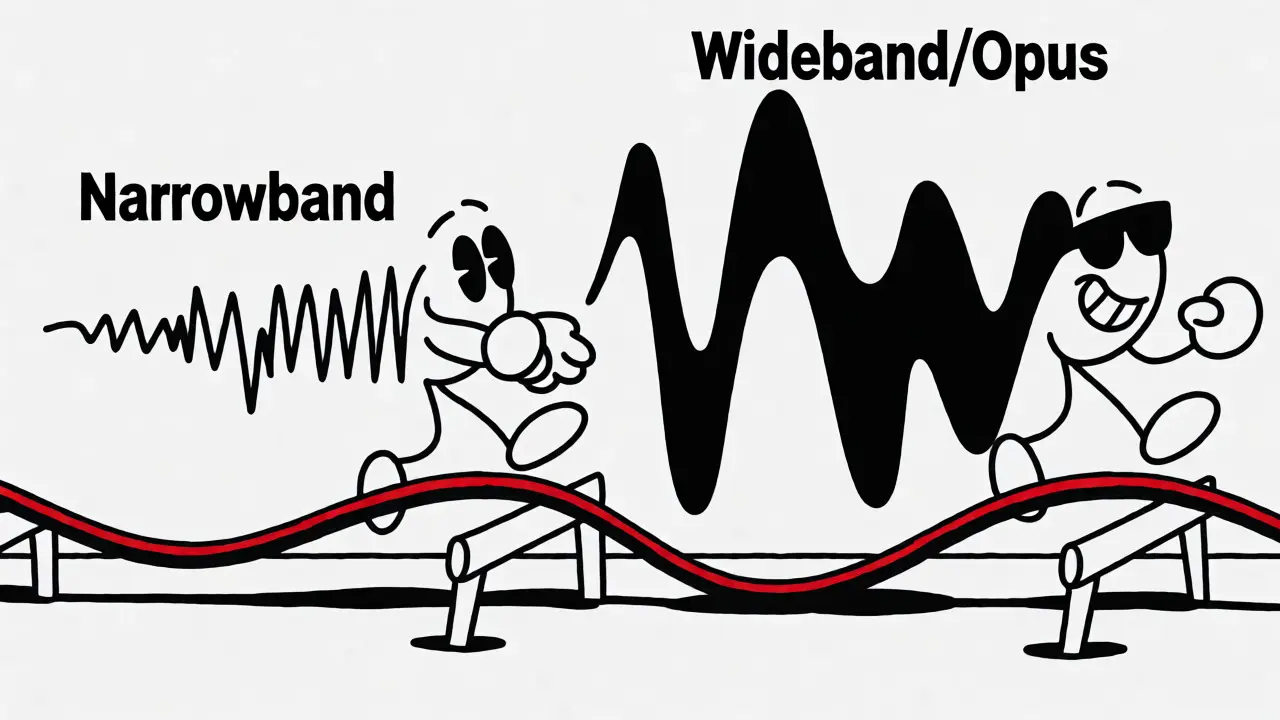
Why Your 48 kHz Headset Might Still Sound Bad
You bought a premium headset rated for 20 Hz-20 kHz. You set your computer’s sample rate to 48 kHz. Yet, your calls still sound like they’re coming from inside a tunnel. Why?
Because the chain is only as strong as its weakest link. VoIP calls involve multiple devices and protocols. If your remote participant is on a mobile network using a legacy gateway, or if their browser defaults to a narrowband codec, your high-quality hardware doesn’t matter. The audio is downsampled before it reaches your ears.
Furthermore, software processing plays a huge role. Modern WebRTC implementations include an Audio Processing Module (APM). This module runs three main tasks:
- Acoustic Echo Cancellation (AEC): Removes your own voice from returning to you via speakers.
- Noise Suppression (NS): Filters out constant background noises like fans or HVAC.
- Automatic Gain Control (AGC): Normalizes volume levels.
While helpful, these tools alter the frequency response. Aggressive noise suppression can act like a high-pass filter, cutting low-frequency rumble but sometimes eating into the lower harmonics of speech. AEC can introduce artifacts during double-talk (when both parties speak simultaneously), causing brief drops in clarity. So, a "flat" frequency response graph on a spec sheet doesn’t guarantee a flat experience during a live call.
The Role of Codecs: G.711, G.722, and Opus
The codec dictates how audio is compressed and transmitted. Three names dominate the landscape.
G.711 is the grandfather of VoIP codecs. It uses pulse-code modulation (PCM) at 64 kbps. It’s uncompressed, meaning it has very low latency and high reliability. However, it is strictly narrowband. It sounds exactly like a traditional phone call. If interoperability with older PBX systems is your priority, G.711 is safe, but don’t expect HD audio.
G.722 was the first major step toward HD voice. It operates at 64 kbps but supports wideband audio (up to 7 kHz). It’s widely supported in enterprise handsets and SIP trunks. While it offers better clarity than G.711, it lacks the adaptability of newer codecs. If packet loss occurs, G.722 degrades noticeably faster than more robust alternatives.
Opus is the current gold standard for internet-based communication. Standardized by the IETF, Opus is incredibly flexible. It can switch dynamically between narrowband, wideband, super-wideband, and fullband modes depending on available bandwidth. It also handles packet loss concealment exceptionally well. If your network hiccups, Opus masks the glitches better than G.711 or G.722. For modern browsers and apps like Zoom, Teams, or Discord, Opus is usually the default because it balances quality and efficiency perfectly.

Measuring Quality: MOS and Intelligibility
How do we quantify "good" audio? Engineers use the Mean Opinion Score (MOS). This is a subjective rating from 1 (bad) to 5 (excellent), based on listener feedback. But MOS is tricky. A narrowband G.711 call might score a 4.0 in a quiet lab, while a wideband G.722 call might score 3.7 in a noisy office, simply because the test conditions differed. Don’t rely solely on MOS numbers when comparing providers.
A more practical metric is speech intelligibility. Research indicates that wideband systems improve intelligibility by approximately 15% compared to narrowband, particularly in noisy environments. This benefit comes primarily from restoring the 3.4-7 kHz range. Restoring frequencies above 7 kHz adds naturalness and brightness but yields diminishing returns for pure understanding.
If you are troubleshooting, try this simple test: Record a call using a local recorder and analyze the spectrogram. Look for energy cut-offs. If you see a hard wall at 3.4 kHz, you’re stuck in narrowband. If the energy extends smoothly to 7 kHz or higher, you have wideband support. If the high frequencies look jagged or sparse, your noise suppression might be too aggressive.
Practical Steps to Improve Your Call Quality
You don’t need a studio to get better VoIP audio. Focus on these actionable steps:
- Verify Codec Negotiation: Check your client settings. Ensure wideband codecs (G.722 or Opus) are enabled and preferred over G.711. Some softphones default to G.711 for compatibility; change this manually.
- Manage Noise Suppression: If your voice sounds robotic or thin, reduce the strength of noise suppression. Background noise is often preferable to distorted speech. Use physical solutions-like closing windows or turning off fans-instead of relying entirely on software filters.
- Check Hardware Compatibility: Not all headsets support wideband input. Cheap USB headsets may cap at 8 kHz internally regardless of OS settings. Invest in a headset explicitly labeled "HD Voice" or "Wideband" compliant.
- Optimize Network Stability: Jitter and packet loss hurt high-bandwidth codecs more than low-bandwidth ones. If you have a unstable Wi-Fi connection, forcing a narrower codec (like G.711) might actually result in clearer audio than struggling with Opus at high bitrates.
Remember, the goal isn’t to reproduce every frequency a human can theoretically hear. The goal is to preserve the specific frequencies that carry linguistic meaning and social nuance. For most business conversations, a stable wideband connection (50-7,000 Hz) provides the best balance of clarity, naturalness, and bandwidth efficiency.
Does a higher sampling rate always mean better call quality?
No. A 48 kHz sampling rate allows for higher frequencies, but if the codec used is G.711 (narrowband), the audio will still be limited to 3.4 kHz. Additionally, if the remote endpoint or intermediate gateways do not support wideband transmission, the signal will be downsampled anyway. Quality depends on the entire chain supporting wideband protocols, not just the local device setting.
Why does my voice sound muffled on VoIP calls?
Muffling is usually caused by two things: narrowband transmission or aggressive noise suppression. Narrowband cuts off frequencies above 3.4 kHz, removing the crispness of consonants. Aggressive noise suppression algorithms may mistakenly identify parts of your voice as background noise and attenuate them. Try disabling noise suppression or switching to a codec that supports wider bandwidth, like Opus or G.722.
Is Opus better than G.711 for VoIP?
Generally, yes, for modern internet connections. Opus adapts to network conditions, supports wideband and fullband audio, and handles packet loss better than G.711. However, G.711 is simpler and requires less CPU power, making it suitable for older hardware or highly constrained networks where predictability is more important than audio fidelity.
Can I hear music clearly over a VoIP call?
Not typically. Standard VoIP codecs optimize for speech, not music. Narrowband (G.711) completely destroys musical dynamics and high-frequency detail. Even wideband (G.722) cuts off frequencies above 7-8 kHz, which removes cymbals and treble details. Fullband Opus (up to 20 kHz) can transmit music reasonably well, but echo cancellation and noise suppression often distort instruments, treating them as background noise.
What is the ideal frequency range for speech intelligibility?
The most critical range for understanding speech is 300 Hz to 3,400 Hz. This covers vowel structures and many consonants. However, extending this to 50 Hz-7,000 Hz (wideband) significantly improves naturalness and helps distinguish similar-sounding words, especially in noisy environments. Frequencies above 7 kHz add brightness and presence but contribute less to basic intelligibility.








Marilyn wiilliams
13 Nov 2026 at 17:48Finally, someone says it!!! The internet is NOT magic. It's physics. You can have gigabit fiber and still sound like you're calling from a tin can if your codec sucks. I've been screaming this at my IT department for YEARS. If they aren't using Opus or G.722, they are actively sabotaging productivity. Period.