



Imagine it’s 9:00 AM on a Monday. Your sales team is mid-pitch, support agents are handling tickets, and suddenly-silence. The phones go dead. No dial tone, no hold music, just the eerie quiet of a cloud outage. For most businesses, this isn't just an inconvenience; it's a direct hit to revenue and reputation. But here’s the kicker: having a backup doesn’t mean you’re safe if your failover process takes two hours to kick in. In the world of cloud systems, especially for something as real-time as VoIP, the gap between "we have backups" and "our service stayed up" is defined by how well you design your continuity strategy.
This guide breaks down exactly how backup and failover work together to keep your services running when things break. We’ll cut through the jargon to explain what really matters: Recovery Time Objectives (RTO) and Recovery Point Objectives (RPO), the four main architectural patterns, and practical steps to ensure your cloud infrastructure doesn’t leave you hanging when the primary site goes dark.
The Core Metrics: Why RTO and RPO Are Non-Negotiable
You can’t manage what you don’t measure. When we talk about service continuation, two metrics dictate everything else: RTO and RPO. Think of them not as IT buzzwords, but as business constraints set by your CFO or operations manager.
RTO is the maximum acceptable amount of time that a system can be unavailable after a disruption. If your RTO is 15 minutes, your phone system must be back online within 15 minutes of a crash. If it takes 45 minutes, you’ve failed your objective. This metric drives how much redundancy you buy. A low RTO means keeping standby servers warm and ready, which costs more money.
RPO is the maximum acceptable amount of data loss measured in time. If your last backup was at 8:00 AM and the server dies at 8:30 AM, your RPO is effectively 30 minutes. You lost 30 minutes worth of call logs, customer notes, or configuration changes. For VoIP, a high RPO might mean losing recent contact updates; for a database, it could mean lost transactions. RPO dictates how often you replicate data. Near-zero RPO requires continuous replication, which demands bandwidth and storage.
Here’s the trap many companies fall into: they set ambitious RTO/RPO targets in their policy documents but build infrastructure that can’t meet them. Scality’s analysis highlights that organizations often misconfigure these goals, setting RPO to seconds without provisioning the network bandwidth to support real-time replication. Always align your technical capabilities with realistic business needs.
Four Architectural Patterns for Service Continuation
Not every application needs the same level of protection. AWS and other major providers categorize disaster recovery into four tiers. Choosing the right one depends entirely on your budget and tolerance for downtime.
| Architecture Pattern | Data Replication Strategy | Typical RTO | Typical RPO | Cost Profile |
|---|---|---|---|---|
| Backup and Restore | Scheduled snapshots/backups stored remotely | Hours to Days | Hours to Days | Lowest |
| Pilot Light | Core components replicated; others defined as code | Hours | Minutes to Hours | Medium-Low |
| Warm Standby | Minimally scaled environment always running | Tens of Minutes | Seconds to Minutes | Medium-High |
| Multi-Site Active/Active | Full production workload in multiple regions | Seconds | Near Zero | Highest |
Backup and Restore is the simplest approach. You store copies of your data in cloud object storage. If the primary site fails, you spin up new instances and restore the data. It’s cheap but slow. Restoring terabytes of data over a standard connection takes time. For a small internal tool, this might be fine. For customer-facing VoIP? Probably not.
Pilot Light keeps your essential services-like your database or authentication server-running in the cloud at a minimal scale. When disaster strikes, you provision the rest of the stack using Infrastructure-as-Code templates. This reduces RTO significantly because you aren’t starting from scratch. You’re just scaling up what’s already there.
Warm Standby runs a fully functional, albeit smaller, version of your entire application in a secondary region. Because the environment is already live, failover involves shifting traffic rather than spinning up servers. This gets your RTO down to tens of minutes. It’s a sweet spot for many mid-sized enterprises balancing cost and resilience.
Multi-Site Active/Active is the gold standard. Your application runs simultaneously in two or more regions. Traffic is load-balanced across both. If one region goes down, the other picks up the slack instantly. There’s no "switching over" in the traditional sense; users just notice a slight latency increase. This offers near-zero RTO and RPO but comes with the highest infrastructure and licensing costs.
How Failover Actually Works: The Mechanics
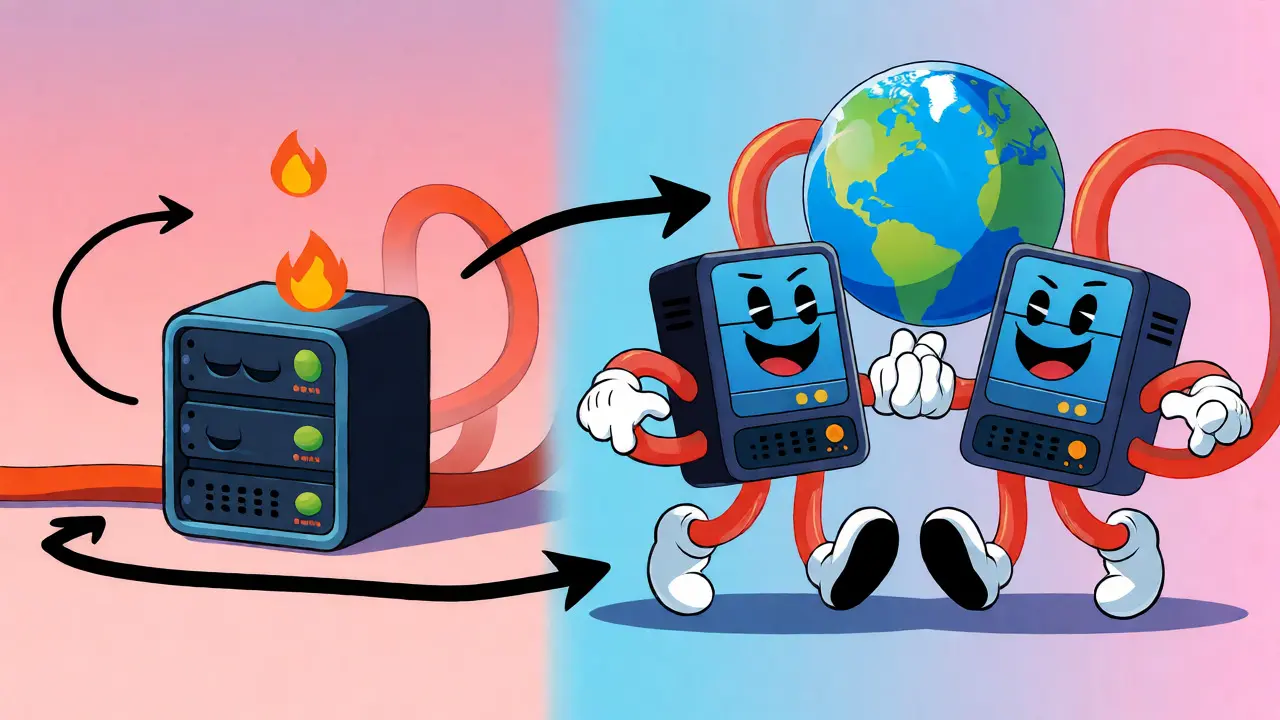
Knowing the architecture is one thing; executing the switch is another. Failover isn’t magic. It’s a sequence of automated or orchestrated steps that redirect traffic from a failed primary system to a healthy secondary system.
For cloud systems, this usually happens in three phases:
- Detection: Health checks monitor the primary system. These can be simple pings or complex application-level tests (e.g., "Can I make a test call?"). If the health check fails repeatedly, the system flags the primary as down.
- Redirection: DNS records or global load balancers update to point traffic to the secondary region. Services like Amazon Route 53 or Azure Traffic Manager handle this propagation. Note that DNS caching can delay this step, so keep TTLs short for critical services.
- Validation: The secondary system must be verified as healthy before full traffic is shifted. Some advanced setups use canary deployments during failover to ensure stability.
Google Cloud’s Backup and DR documentation outlines a specific six-step process for failback (returning to normal): catch-up sync, stop failed-over app, final sync, restore image, fail back, and cleanup. This complexity underscores why automation is critical. Doing this manually during a crisis invites human error.
Special Considerations for Cloud VoIP
If you’re reading this with VoIP in mind, pay close attention. Voice traffic is unforgiving. Unlike email or file transfers, voice packets cannot wait. Latency above 150ms causes noticeable delays; jitter causes choppy audio; packet loss creates gaps.
Standard web failover strategies often fail for VoIP because they focus on data consistency, not real-time connectivity. Here’s what you need to do differently:
- Session Border Controllers (SBCs): Use redundant SBCs in different geographic zones. If one SBC cluster fails, the next should take over seamlessly. Ensure your SIP trunks are configured to route to multiple provider endpoints.
- Codec Negotiation: During failover, network conditions might change. Ensure your failover mechanism supports adaptive codecs that can degrade gracefully (e.g., switching from G.711 to Opus) to maintain connectivity even on lower-bandwidth paths.
- Stateful vs. Stateless: Most VoIP calls are stateful. If a server crashes mid-call, that call drops unless you have session persistence mechanisms. True zero-downtime VoIP requires active-active clustering where call state is synchronized between nodes in real-time.
Microsoft’s Azure Site Recovery supports replicating on-premises VMware and Hyper-V VMs to Azure, which is useful for hybrid VoIP deployments. However, for pure cloud-native VoIP, look for providers that offer built-in geo-redundancy at the platform layer, rather than relying solely on VM-level replication.
Testing: The Only Way to Know It Works
A disaster recovery plan that hasn’t been tested is just a wish list. Google Cloud’s DR planning guide emphasizes iterative testing, including simulated region failures. Don’t wait for a real outage to find out your backup credentials were wrong.
Implement a regular testing schedule:
- Monthly: Verify backup integrity. Can you actually restore a single file or VM?
- Quarterly: Perform a non-disruptive failover test. Spin up the standby environment and route a portion of test traffic to it. Measure actual RTO and RPO against your targets.
- Annually: Conduct a full-scale simulation. Shut down the primary environment (or simulate it) and run the business on the secondary for a few hours. Involve end-users to catch workflow issues.
During these tests, document every step. Did the DNS propagate faster than expected? Did the database sync lag? These insights allow you to tune your RTO/RPO assumptions. Vanta’s guidance notes that aligning backup schedules with these limits is crucial for maintaining trust in your DR posture.

Common Pitfalls and How to Avoid Them
Even well-funded companies stumble here. Here are the most frequent mistakes:
Ignoring Network Bandwidth: Continuous replication eats bandwidth. If your RPO is set to 5 minutes but your network link saturates during peak hours, your replication will fall behind, effectively increasing your RPO. Monitor replication lag closely.
Overlooking Security Compliance: Data moved to a secondary region must still comply with regulations like GDPR or HIPAA. Ensure encryption keys are managed correctly across regions. IBM’s overview of Backup as a Service highlights that security and compliance intersect deeply with DR processes.
Assuming Automatic Failover: Many systems require manual intervention to trigger failover. If your team is asleep during a 3 AM outage, who flips the switch? Automate detection and redirection where possible, or establish clear on-call protocols.
Underestimating Cost Creep: Multi-site active/active sounds great until you see the bill. Cross-region data transfer fees can add up quickly. Use tools like AWS Cost Explorer or Azure Cost Management to track DR-related spend separately from production costs.
Next Steps for Your Team
Ready to harden your cloud resilience? Start here:
- Audit Current State: List all critical applications. Assign a current RTO and RPO to each based on actual performance, not aspirations.
- Select Architecture: Match each app to one of the four patterns discussed. Be honest about budget constraints.
- Automate: Use Infrastructure-as-Code (Terraform, CloudFormation) to define your DR environments. Manual setup is prone to drift.
- Test: Schedule your first failover test for next month. Treat it like a fire drill.
Service continuation isn’t a product you buy; it’s a practice you maintain. By focusing on measurable objectives and rigorous testing, you turn potential disasters into minor inconveniences.
What is the difference between backup and failover?
Backup refers to copying data to preserve it against loss, corruption, or deletion. Failover is the operational process of switching from a failed primary system to a standby secondary system to maintain service availability. Backups protect data; failover protects uptime.
How does RPO differ from RTO?
Recovery Point Objective (RPO) measures the maximum acceptable amount of data loss, expressed in time (e.g., 1 hour). Recovery Time Objective (RTO) measures the maximum acceptable duration of downtime (e.g., 30 minutes). RPO looks backward at data; RTO looks forward at restoration speed.
Is multi-site active/active too expensive for small businesses?
It can be, as it requires paying for duplicate infrastructure and higher data transfer costs. Small businesses often start with Pilot Light or Warm Standby architectures, which offer a better balance of cost and resilience. You can upgrade to active/active as revenue grows and downtime becomes more costly.
Why is VoIP failover harder than web application failover?
VoIP relies on real-time, stateful connections. Web apps can often tolerate brief disconnections or page reloads. VoIP calls drop immediately if connectivity is interrupted. Achieving seamless failover requires synchronized session states and low-latency routing, which is technically more complex than restoring static files or databases.
How often should I test my failover plan?
Industry best practices suggest quarterly non-disruptive tests and annual full-scale simulations. Regular testing ensures that changes in infrastructure, such as new security groups or updated IP addresses, haven’t broken the failover logic.








Jeff Falcon
24 Sep 2026 at 02:45Oh, absolutely! I couldn't agree more with the point about RTO and RPO being business constraints rather than just IT buzzwords. It is so important to align those technical capabilities with realistic business needs because otherwise you end up with a policy document that looks great on paper but falls apart in reality. I remember when we tried to set our RPO to seconds without provisioning enough bandwidth and it was a total disaster... literally chaos! We had replication lag everywhere and the phones were dropping calls left and right. So yes, definitely audit your current state first before buying anything expensive. Also, don't forget about the testing part; if you haven't tested it, it doesn't exist. That's my two cents! Or maybe three? Haha!