



You just changed your business phone number. It feels like a small administrative task, right? Just swap the digits on the website and move on. But here is the reality: if you don't tell people, they won't know. They will keep calling the old line, which might be disconnected or routed to someone else entirely. You lose leads, customers get frustrated, and your brand looks disorganized. Notifying customers about a phone number change is not just a courtesy; it is a critical operational step that protects your revenue.
The difference between a smooth transition and a communication blackout comes down to timing, channel selection, and message clarity. You need to bridge the gap between the old number and the new one so seamlessly that customers barely notice the switch. This guide walks you through exactly how to do that, using strategies from telecom experts and marketing platforms who have handled millions of these transitions.
Why Silence Is Costing You Money
Think about the last time you tried to call a company and got a "number unassigned" message. Did you dig around their website for hours? Probably not. You likely hung up and went to a competitor. When you fail to communicate a number change, you create friction. According to best practices from providers like 800.com, missing this step can lead to significant drop-offs in customer engagement during the first 90 days after a switch.
Beyond lost sales, there is a compliance angle. If you are sending SMS marketing messages, regulations like the Telephone Consumer Protection Act (TCPA) require transparency. If your messages suddenly come from an unknown number without context, recipients may mark them as spam or request removal because they don't recognize the sender ID. Proactive notification preserves trust and keeps your subscriber list healthy.
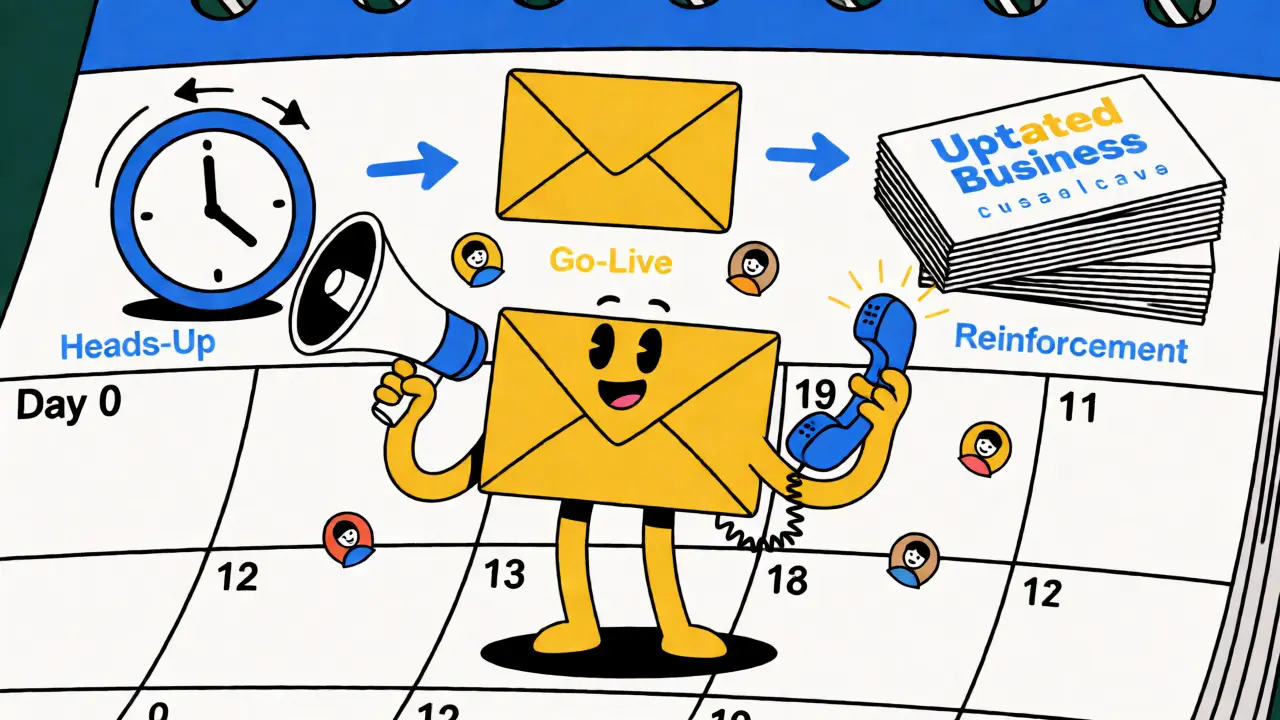
The Three-Phase Notification Timeline
Don't wait until the day the number changes to send an email. A single blast is rarely enough. Successful businesses use a three-phase approach to ensure the message sticks.
- Phase 1: The Heads-Up (7 Days Before)
Send a final alert from the old number or via email. Tell them the change is coming. Give them the effective date. This prevents panic when calls start failing. - Phase 2: The Go-Live Confirmation (Day 0)
On the day the new number activates, send a confirmation from the new number. This proves the line works and establishes the new sender ID in their contacts. - Phase 3: The Reinforcement (Weeks 1-4)
Update all static assets and monitor responses. Follow up with high-value clients who haven't acknowledged the change.
This sequence mirrors the strategy recommended by Klaviyo, an SMS marketing platform, which suggests sending a final SMS from the old number about a week prior, followed immediately by a welcome message from the new number upon activation.
Crafting the Perfect Message
What should you actually say? Keep it short. People skim. Your message needs four specific data points to be effective:
- The Old Number: So they know which entry to delete or ignore.
- The New Number: Clearly formatted and easy to copy.
- The Effective Date: When does the old number stop working?
- The Reason (Optional but Helpful): "We upgraded our system" or "We moved offices." This adds credibility.
Here is a template you can adapt for email or SMS:
| Channel | Subject Line / Header | Body Content Strategy |
|---|---|---|
| Action Required: Our Phone Number Has Changed | State the new number in bold. Include a "Click to Save" link if possible. Mention office hours if they changed too. | |
| SMS | [Brand Name] Update | "Hi [Name], we've switched numbers! Call us at [New Number]. Reply STOP to opt out." |
| Social Media | We've Moved! | Use a graphic with the new number. Pin the post to the top of your profile for 30 days. |
Notice the tone? It is direct but polite. Avoid jargon. Don't say "porting initiated." Say "our number has changed." Clarity beats cleverness every time.
Internal Prep Comes First
Before you hit send on any external campaign, make sure your team is ready. Nothing looks worse than a customer calling the new number and hearing, "I'm sorry, I don't know what you're talking about." Send an internal memo or Slack announcement to all staff members detailing the new number and the go-live date. Front-line support agents need to know how to handle questions about the change before customers ask them.
Also, audit your systems. Do you have automated workflows tied to the old number? Check your CRM, helpdesk software, and IVR (Interactive Voice Response) menus. Updating these technical settings takes time, so start early. As noted by tech guides, updating digital profiles like Google Business Profile and Yelp often requires verification steps that can take several days.
Leveraging Platform Features for Automation
If you are changing a personal or small business mobile number, you don't have to manually text everyone. Use built-in tools. For example, WhatsApp has a "Change my number" feature in its settings. When you use this, you can choose to notify all contacts, only those you have active chats with, or a custom list. This saves hours of manual typing.
For larger businesses using SMS platforms, look for migration tools. Some providers allow you to map the old short code to the new one temporarily, forwarding messages so no inquiry gets lost during the cutover. Always include opt-out language like "Reply STOP" in your first message from the new number to stay compliant with marketing laws.
Audit Your Digital Footprint
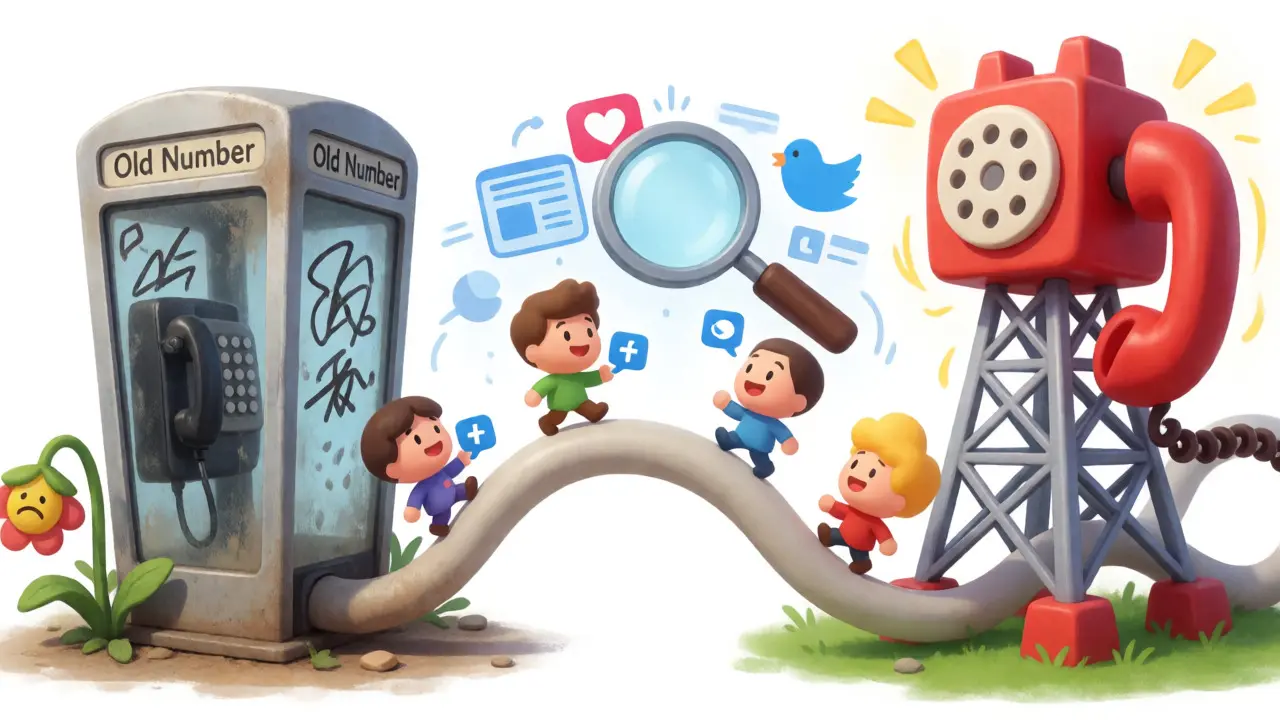
Your website isn't the only place your number lives. It is buried in invoices, email signatures, PDF brochures, and third-party directories. Create a checklist. Here are the most common places you might forget:
- Google Business Profile: Critical for local SEO. Update this immediately.
- Email Signatures: Set up an auto-reply on the old email address pointing to the new number for 60 days.
- Online Directories: Yelp, YellowPages, BBB, and industry-specific sites.
- Physical Assets: Business cards, signage, and packaging stickers. You can't reprint everything overnight, so use temporary stickers with the new number.
Consistency matters. If your website says one number and your Facebook page says another, customers lose confidence. Double-check every public-facing asset within the first week.
Handling High-Value Clients Personally
Automated blasts work for general lists, but VIP clients deserve a personal touch. For key accounts, pick up the phone or send a personalized email. Acknowledge the relationship. "Hey John, just wanted to let you know personally that our main line has changed to [Number]. I've updated my signature, but I wanted to make sure you had the right digits." This small effort reinforces loyalty and ensures the most important connections remain intact.
Follow up a few days later. Ask, "Did you save the new number?" This confirms receipt and gives you a chance to correct any typos they might have made.
Compliance and Security Considerations
In regulated industries like finance or healthcare, documenting the change is vital. If you bank with institutions like DBS Bank, they recommend verifying that key services linked to your old number are updated before relying on mass notifications. Ensure that two-factor authentication codes are still reaching you on the new device or number.
Privacy is another concern. When asking customers to update their records, reassure them that their data is safe. Explain why the change happened (e.g., carrier upgrade, security enhancement). Transparency reduces anxiety and prevents customers from thinking they are being scammed by a sudden number change.
Troubleshooting Common Pitfalls
Even with a plan, things go wrong. Here is how to fix common issues:
- Customers claim they didn't get the email: Spam filters love blocking sudden changes. Send the notification from a recognized domain and consider a secondary channel like SMS.
- Calls to the old number still ring: Many carriers offer a "call forwarding" grace period. Keep the old line active for 30-90 days to catch stragglers.
- Low engagement on social posts: Don't rely solely on organic reach. Boost the post targeting your existing follower base to ensure visibility.
Remember, the goal is zero missed opportunities. Every unanswered call is a potential sale walking away. By treating the number change as a major communication event rather than a minor IT ticket, you protect your brand's reputation and keep your lines open.
How long should I keep my old phone number active?
It is recommended to keep the old number active for at least 30 to 90 days. During this time, set up call forwarding to the new number. This captures customers who haven't seen your notifications yet and provides a safety net for missed communications.
Do I need to notify customers if I only change my extension?
If the main business number remains the same, you generally do not need a mass notification. However, you should update your internal directory and inform frequent callers or key partners directly to avoid confusion.
What is the best way to notify SMS subscribers of a number change?
Send a final SMS from the old number one week before the change, stating the upcoming switch. Then, send a confirmation SMS from the new number on the activation day. Both messages must include clear opt-out instructions (e.g., "Reply STOP") to maintain compliance with TCPA regulations.
Should I explain why my business number changed?
Yes, briefly. Providing a reason such as "system upgrades," "relocation," or "carrier change" builds trust and reassures customers that the change is legitimate and not a sign of instability or fraud.
How do I update my number on Google Business Profile?
Log into your Google Business Profile manager, select the location, click on "Edit profile," and update the phone number field. Submit the changes. Verification may be required, so check back in a few days to ensure the new number is live.





Write a comment