

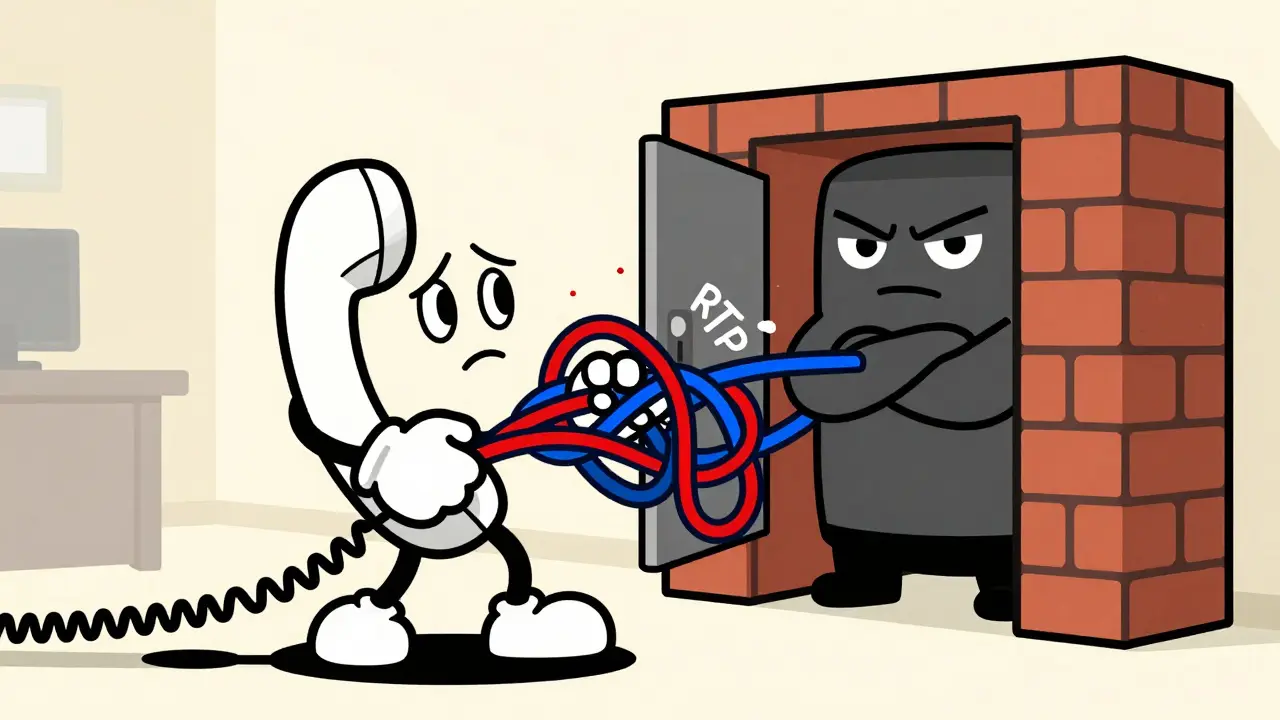

Have you ever had a phone call drop right after ten seconds? Or maybe the other person hears you perfectly, but you hear nothing but silence? If so, your network is likely fighting itself. The culprit isn’t usually bad internet speed or a broken handset. It’s almost certainly how your firewall handles Voice over IP (VoIP) traffic.
For years, network administrators relied on a feature called SIP ALG (Session Initiation Protocol Application Layer Gateway) to fix these issues. Today, that advice is outdated and often harmful. Modern best practices for firewall traversal in VoIP have shifted dramatically. Instead of letting your router dissect and rewrite voice packets, we now rely on standardized protocols like STUN, TURN, and ICE to navigate through NAT (Network Address Translation) devices.
This guide cuts through the technical noise. We will look at why disabling SIP ALG is the first step you should take, how to configure your NAT timeouts correctly, and why STUN, TURN, and ICE are the reliable workhorses of modern VoIP connectivity.
Why Your Firewall Blocks VoIP Calls
To understand the fix, you need to understand the problem. VoIP relies on two main types of data: signaling and media. Signaling uses the Session Initiation Protocol (SIP) to set up the call-who is calling whom, and what codecs can they use. Media carries the actual audio using RTP (Real-time Transport Protocol).
The trouble starts with NAT. Most businesses and homes use private IP addresses (like 192.168.1.50) for their internal devices. To talk to the internet, your router translates these private IPs into a single public IP address. This process is Network Address Translation.
SIP messages contain IP addresses inside their headers and bodies. When a SIP packet crosses your NAT device, the router changes the source IP in the packet header. However, it doesn't automatically change the IP address written inside the SIP message body. The receiving server sees a mismatch: the packet came from Public IP A, but the message says "call me at Private IP B." The call fails.
In the early 2000s, vendors introduced SIP ALG to solve this. The ALG sits inside the firewall, reads the SIP message, and rewrites the internal IP addresses to match the public translation. While well-intentioned, this approach is fragile. Different manufacturers implement SIP differently. An ALG that works for one brand of phone might corrupt the packets for another.
The Case Against SIP ALG
If you are still using SIP ALG, turn it off. That is the consensus among network engineers and cloud VoIP providers as of 2026. Here is why:
- Packet Corruption: ALGs often misinterpret complex SIP headers. They might strip out necessary information or modify SDP (Session Description Protocol) bodies incorrectly, leading to one-way audio or failed registrations.
- Conflicts with Encryption: Many modern VoIP systems use TLS (Transport Layer Security) to encrypt SIP signaling. An ALG cannot read encrypted data, so it either blocks the traffic or tries to inspect it and fails, causing connection drops.
- Unpredictable Behavior: ALGs create "pinholes"-temporary openings in the firewall-for specific ports. If the ALG closes a pinhole too quickly, your call drops mid-sentence. If it keeps them open too long, it wastes resources and creates security risks.
ServiceTitan and Nextiva both report that disabling SIP ALG resolves the majority of call-quality tickets. Symptoms like calls dropping exactly at 10 seconds or 15 minutes are classic signs of an ALG timing out or interfering with keep-alive signals.
Configuring NAT Timeouts Correctly
Once you disable SIP ALG, your firewall needs to know how to handle the remaining traffic. You don't need deep inspection; you need patience. Firewalls maintain a state table that tracks active connections. If a connection appears idle for too long, the firewall deletes it to save memory. For VoIP, this is disastrous.
You must adjust your UDP timeouts. SIP signaling and RTP media often sit quiet between bursts of activity. If your firewall assumes silence means the call is over, it will block the next burst of audio.
| Protocol / Traffic Type | Default Timeout (Typical) | Recommended Timeout | Reason |
|---|---|---|---|
| SIP Signaling (UDP/TCP Port 5060) | 30-60 seconds | 120-180 seconds | Prevents registration drops during periods of low activity. |
| RTP Media (UDP Ports 10000-20000) | 30 seconds | 120 seconds | Ensures audio streams remain open even if there is brief silence. |
| TCP Connections (for SIP over TCP) | 5 minutes | 10-15 minutes | Maintains persistent signaling connections for better reliability. |
SonicWall recommends increasing LAN-to-WAN UDP timeouts from the default 30 seconds to 120 seconds specifically for VoIP rules. Zyxel allows separate settings for SIP signaling (often defaulting to 1800 seconds) and RTP media (120 seconds). Check your specific firewall documentation, but aim for consistency. If your phones register every 60 seconds, your timeout must be longer than 60 seconds.

Modern NAT Traversal: STUN, TURN, and ICE
So, if not ALG, then what? The answer lies in protocols designed specifically to help endpoints find each other behind firewalls. These are STUN, TURN, and ICE.
STUN: Finding Your Public Face
STUN (Session Traversal Utilities for NAT) is like asking a friend outside your house, "What does my house number look like from the street?" Your VoIP phone sends a request to a public STUN server. The server replies with the public IP address and port number that the internet sees. The phone then includes this public address in its SIP messages. This allows the remote party to send audio directly to your mapped port.
STUN works for most standard NAT configurations. However, it fails with symmetric NAT, where the router assigns a different public port for every new destination. In those cases, direct peer-to-peer connections are impossible.
TURN: The Reliable Relay
When STUN fails, TURN (Traversal Using Relays around NAT) steps in. TURN acts as a middleman. Your phone sends its audio to a TURN server, which then forwards it to the caller. It’s less efficient because it adds latency and consumes more bandwidth, but it guarantees connectivity even through strict corporate firewalls.
ICE: The Intelligent Negotiator
ICE (Interactive Connectivity Establishment) is the framework that manages STUN and TURN. Defined in RFC 5245, ICE doesn't choose one method blindly. It gathers all possible connection candidates: direct local IP, STUN-derived public IP, and TURN relay addresses. It then tests them in order of preference. If the direct path works, great. If not, it falls back to STUN. If that fails, it uses TURN. This dynamic negotiation is why modern WebRTC and VoIP apps connect reliably across diverse networks.
Step-by-Step Configuration Guide
Here is how to apply these concepts to your network. Whether you are managing a small office router or an enterprise firewall, the principles remain the same.
- Disable SIP ALG: Log into your router or firewall admin panel. Look for settings labeled "SIP ALG," "SIP Passthrough," "SIP Helper," or "Application Level Gateway." Turn it off. On Cisco routers, this might involve removing the `service sip-ua` command. On Linux-based gateways, you may need to unload kernel modules like `nf_conntrack_sip`.
- Enable Consistent NAT: If your firewall offers a "Consistent NAT" or "Endpoint Independent Mapping" option, enable it. This ensures that when your phone talks to the VoIP provider, it always gets the same public IP/port mapping, preventing confusion during call setup.
- Adjust Timeouts: Navigate to your NAT or Stateful Inspection settings. Increase the UDP timeout for SIP (port 5060) and RTP (media ports) to at least 120 seconds. Save and reboot the device.
- Configure QoS: Quality of Service is crucial. Tag VoIP packets with DSCP EF (Expedited Forwarding, value 46). Prioritize traffic on ports 5060 (SIP) and your RTP range (e.g., 10000-20000 UDP). This ensures voice traffic jumps ahead of file downloads or web browsing.
- Verify Endpoint Settings: Ensure your VoIP phones or softphones have STUN enabled. Most modern devices do by default. If you control the PBX, ensure it supports ICE and has valid STUN/TURN server addresses configured.

Troubleshooting Common Issues
Even with correct configuration, problems can arise. Here is how to diagnose them.
One-Way Audio: You can hear the other person, but they can't hear you. This usually means the SIP signaling got through, but the RTP media stream is blocked. Check your firewall logs for dropped UDP packets on high ports (10000+). Ensure your NAT timeout isn't expiring before the call starts. Also, verify that your ISP isn't blocking outbound UDP traffic, which some residential plans do.
Calls Drop After 10 Seconds: This is a classic ALG symptom. Even if you think ALG is off, double-check. Some firmware hides the setting under "SPI Firewall" or "Stateful Packet Inspection." Disabling SPI entirely is risky, but disabling just the SIP helper within SPI is safe. If ALG is definitely off, check for jitter buffers on the endpoint that might be discarding late packets.
Failed Registrations: If your phone won't register to the server, check the SIP timeout. If the firewall kills the connection before the registration response arrives, the phone fails. Increasing the TCP/UDP timeout to 180 seconds often fixes this.
Future-Proofing Your VoIP Network
The industry is moving away from opaque firewall interventions toward transparent, protocol-aware networking. Cisco Meraki, for example, does not implement SIP ALG on its MX firewalls. Instead, they recommend TLS encryption and standard traffic shaping. This shift acknowledges that intelligence belongs at the endpoints and the application layer, not in the middlebox rewriting packets blindly.
As IPv6 adoption grows, NAT will eventually become less relevant. IPv6 provides unique global addresses to every device, eliminating the need for translation. Until then, however, proper NAT configuration remains essential. By disabling ALG, tuning timeouts, and leveraging STUN/TURN/ICE, you build a resilient VoIP infrastructure that handles modern security standards and complex network topologies without breaking a sweat.
Should I disable SIP ALG on my home router?
Yes. For almost all modern VoIP setups, including home offices and small businesses, you should disable SIP ALG. It frequently causes one-way audio, dropped calls, and registration failures by corrupting SIP packets. Modern phones and VoIP providers use STUN and ICE to handle NAT traversal effectively without ALG interference.
What is the difference between STUN and TURN?
STUN helps a device behind a firewall discover its public IP address so it can establish a direct peer-to-peer connection. TURN acts as a relay server that forwards audio traffic when a direct connection is impossible due to strict firewalls or symmetric NAT. TURN is more reliable but introduces higher latency and bandwidth usage.
How do I fix one-way audio in VoIP?
One-way audio is usually caused by blocked RTP media streams. First, disable SIP ALG on your router. Second, ensure your firewall allows UDP traffic on the RTP port range used by your VoIP system (commonly 10000-20000). Third, check your NAT timeouts to ensure they are long enough (at least 120 seconds) to keep the media session open.
What is ICE in VoIP?
ICE (Interactive Connectivity Establishment) is a framework that coordinates STUN and TURN. It gathers all possible connection methods (direct, STUN-reflected, and TURN-relayed), tests them, and selects the best available path for media transmission. It provides the highest level of reliability for VoIP calls across diverse network environments.
Why do my VoIP calls drop after exactly 10 seconds?
This is a classic symptom of SIP ALG interference. The ALG may be closing the firewall "pinhole" prematurely or misinterpreting the SIP keep-alive messages. Disabling SIP ALG on your router or firewall typically resolves this issue immediately. If the problem persists, check your UDP NAT timeouts.
Do I need a Session Border Controller (SBC) for small business VoIP?
For small businesses with fewer than 50 phones, a properly configured firewall with disabled ALG and correct NAT timeouts is usually sufficient. SBCs are recommended for larger enterprises, multi-site deployments, or scenarios requiring advanced security, transcoding, and carrier interconnection features.








Lisa Nally
7 Jul 2026 at 21:52Oh, absolutely, this is the definitive guide to VoIP stability and anyone ignoring it is simply negligent in their professional duties. The correlation between disabling SIP ALG and resolving one-way audio is not just a suggestion; it is an empirical fact that has been validated by countless network engineers across the globe for over a decade. When you consider the intricate dance of Session Initiation Protocol headers and the fragile nature of Real-time Transport Protocol streams, it becomes painfully obvious why legacy Application Layer Gateways are nothing short of digital landmines waiting to explode in your production environment. I have personally witnessed enterprise-grade firewalls corrupt SDP bodies so severely that the media negotiation failed entirely, leaving users with silence on one end and static on the other. It is truly disheartening to see how many small business owners still cling to these outdated configurations out of sheer ignorance or fear of change. The shift towards STUN, TURN, and ICE is not merely a trend; it is the only logical evolution of NAT traversal protocols that respects the integrity of encrypted traffic. TLS encryption should never be stripped or inspected by a middlebox that lacks the context to understand the payload, yet that is exactly what ALGs attempt to do, resulting in catastrophic connection drops. Furthermore, the recommendation to increase UDP timeouts to at least 120 seconds is critical because voice packets often exhibit bursty behavior that standard stateful inspection tables misinterpret as idle connections. If your firewall is deleting the session mapping before the next RTP packet arrives, you are essentially building a house of cards on a foundation of sand. Quality of Service tagging with DSCP EF is also non-negotiable for any serious deployment, as best-effort routing will inevitably sacrifice voice quality during bandwidth contention events. This article cuts through the noise with surgical precision, providing actionable steps that align with modern best practices from Cisco Meraki to Zyxel. Ignoring these guidelines is akin to driving a car without brakes; you might get away with it for a while, but eventually, disaster is inevitable.