


Imagine buying a brand-new hardware wallet - sealed box, official packaging, everything looks perfect. You plug it in, set it up, and transfer your life savings of Bitcoin into it. A week later, your funds are gone. No warning. No hack. Just... vanished. This isn’t science fiction. It’s happening right now, and the culprit isn’t a hacker breaking into your computer. It’s the device itself - tampered hardware wallets - compromised before they ever reached your hands.
How a Hardware Wallet Gets Tampered
Hardware wallets are supposed to be the gold standard for crypto security. They keep your private keys offline, away from internet-connected devices. But if someone gets to the device before you do - during shipping, warehousing, or even at the factory - they can install malicious firmware that secretly generates backup recovery phrases only the attacker knows. These attacks don’t require fancy tools. Researchers have shown that with just $200 in equipment and under an hour of physical access, attackers can use voltage glitching to trick the device’s processor into skipping security checks. Once bypassed, they flash custom firmware that creates hidden backup seeds. The wallet still works normally for you - it displays your recovery phrase, lets you send and receive crypto - but behind the scenes, it’s also sending your keys to someone else. This isn’t theoretical. In 2023, security teams found the first widespread cases of tampered Trezor devices being sold on Russian marketplaces. By 2025, incidents had spread to 18 countries. According to Mindcore’s September 2025 report, 37 confirmed supply chain attacks affected 12 different wallet models. Total losses? Nearly $48 million.Why Most People Never Notice
The scariest part? You won’t know unless you check. Tampered wallets behave exactly like real ones. They boot up. They ask for your PIN. They let you generate a recovery phrase. They confirm transactions. The only difference? The attacker has a copy of that same phrase - and they’ve already drained the wallet before you even realized it was compromised. Most users skip the verification steps. A University of Cambridge study found that 68.7% of people never check the firmware hash against the manufacturer’s published value. That’s the one simple step that could have caught the tampering. Another 83% didn’t even look at the tamper-evident seal on the box. On Reddit, user u/CryptoSafe2024 lost 2.3 BTC after buying a "new" Trezor Safe 3 from a third-party Amazon seller. The packaging was flawless. The device worked perfectly. Only when he ran the firmware hash check did he realize it didn’t match Trezor’s official values. By then, his funds were already gone.Which Wallets Are Most at Risk?
Not all hardware wallets are built the same. Security depends on how the hardware and firmware are designed. Trezor’s Safe 3 and Safe 5 models use a single ARM Cortex-M4 processor to handle both user input and cryptographic operations. That’s a problem. Attackers can exploit the shared processor to bypass the Secure Element - the chip meant to protect your keys. Independent testing shows 92% of simulated attacks succeeded on these models. Ledger’s Nano X, on the other hand, uses a dual-chip design. The Secure Element and main processor are physically separated. This makes voltage glitching attacks 83% less effective, according to Kudelski Security’s March 2025 benchmark. That’s why Ledger’s market share grew by 14.2% between January 2024 and December 2025 - users fled from Trezor after these vulnerabilities became public. BitBox02 and Ellipal Titan fall in between, with 67% and 41% vulnerability rates respectively. Coldcard and Keystone offer unique protections: Coldcard’s open-source hardware lets anyone inspect the design, while Keystone uses QR codes instead of USB, eliminating one major attack vector. But both have low adoption - only 37% of users stick with them long-term because they’re harder to use.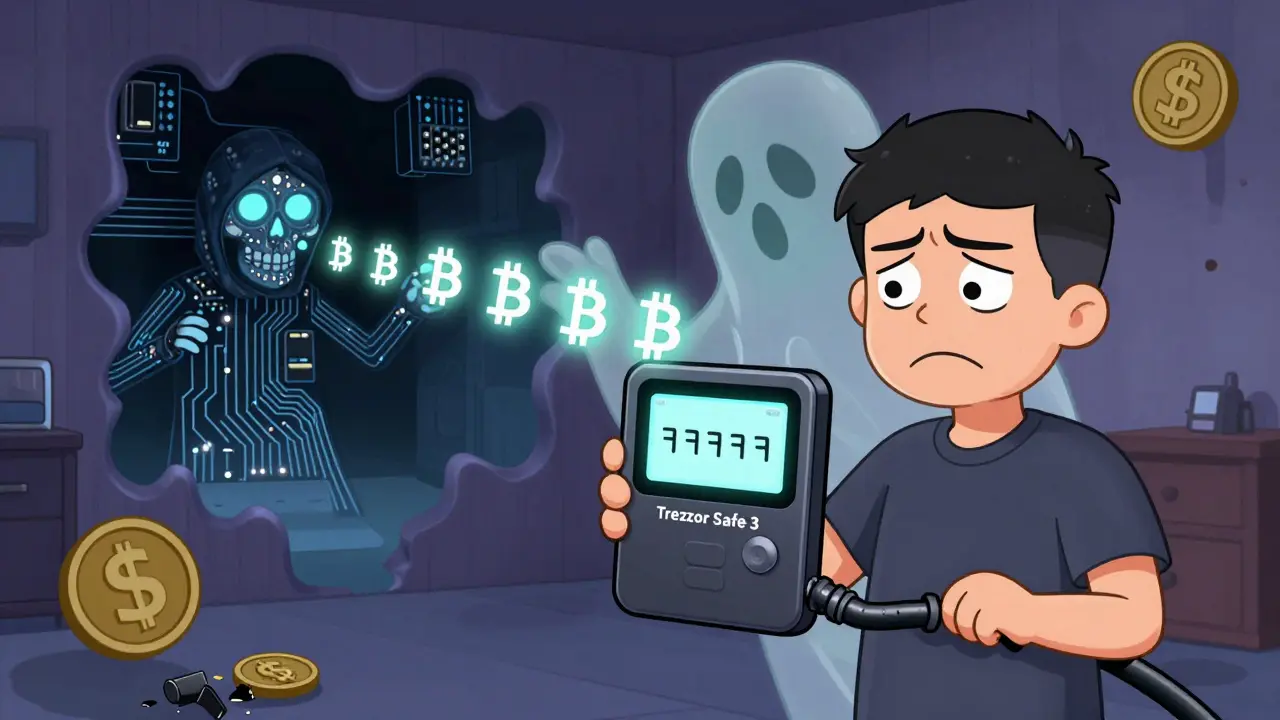
What Manufacturers Are Doing (And What They’re Not)
Manufacturers know the problem exists. Trezor’s CEO confirmed a data breach in early 2024 - but insisted it wasn’t linked to hardware tampering. Ledger’s CTO, Charles Guillemet, called supply chain attacks "the most insidious threat vector in cryptocurrency security today." The truth? Most companies still rely on users to verify their devices. Trezor offers a verification process - but internal data leaked in November 2025 showed only 18.7% of users actually complete it. Meanwhile, Ledger provides a 147-page verification guide. Users who follow it have a 37% higher chance of spotting a fake. The U.S. government isn’t sitting idle. In February 2025, Dr. Lily Chen of NIST told the Senate Banking Committee that only 2 of the 12 major hardware wallet makers meet basic supply chain security standards. The European Union is forcing change: by January 1, 2027, all wallets sold in the EU must be ISO 27001-certified for supply chain security. Fines for non-compliance? Up to 6% of global revenue.The 7-Step Verification Checklist
If you’re buying a hardware wallet - or just got one - here’s what you must do. This isn’t optional. It’s your last line of defense.- Inspect the packaging. Look for broken seals, mismatched labels, or signs of resealing. 83% of tampered devices show physical tampering.
- Verify the firmware hash. Go to the manufacturer’s official website. Find the published hash for your exact model and firmware version. Use their tool to compare it with what your device shows. If they don’t match - stop. Return it.
- Generate your recovery phrase on the device. Never type it in on a computer. Always write it down directly from the screen.
- Check the checksum. Most wallets let you verify the phrase’s integrity. Do it. A single wrong word means the device is compromised.
- Test recovery with a small amount. Send $10 worth of crypto to the wallet. Then restore it on a brand-new device. If you can’t recover it, something’s wrong.
- Watch for odd behavior. Does it take longer than normal to sign a transaction? 12-15 seconds instead of 4? That’s a red flag. Tampered wallets often leak data in the background.
- Register your device. Official registration helps manufacturers track compromised batches. It’s your way of helping the whole community.
The Bigger Picture: It’s Not Just Hardware
Supply chain attacks aren’t limited to crypto wallets. In September 2025, a major npm package attack compromised 18 JavaScript libraries used in 1.2 billion downloads. That’s software. This is hardware. But the lesson is the same: trust no one, verify everything. The industry is starting to respond. Ledger announced "Zero Trust Verification" on January 15, 2026 - a system that uses blockchain to confirm device authenticity without relying on their own servers. That’s a step forward. But Sygnia’s threat team already found prototype malware designed to spoof these new blockchain checks. Attackers are adapting faster than defenses.What You Should Do Right Now
If you own a hardware wallet:- Run the firmware hash check - today.
- If you bought it from eBay, Amazon, or a third-party seller - assume it’s compromised. Move your funds to a new, verified wallet.
- Don’t trust "new" devices unless you bought them directly from the manufacturer or an authorized reseller.
- Buy only from the manufacturer’s official website or a verified retailer.
- Never accept a device as a gift from someone you don’t fully trust.
- Use Ledger Nano X or Coldcard if you want the strongest protection - even if they’re harder to use.
Final Reality Check
Hardware wallets aren’t magic. They’re just computers. And like any computer, they can be compromised - especially if no one’s watching the supply chain. The best security isn’t the most expensive wallet. It’s the one you verify. The one you test. The one you don’t take for granted. Crypto security doesn’t end when you plug in your device. It starts there.Can I trust a hardware wallet bought from Amazon or eBay?
No. Third-party sellers on marketplaces like Amazon and eBay are the most common source of tampered hardware wallets. Attackers buy legitimate devices in bulk, tamper with them, and resell them as "new." Even if the packaging looks sealed, it can be resealed perfectly. Always buy directly from the manufacturer or an authorized retailer.
What if my firmware hash doesn’t match?
Stop using the device immediately. Do not transfer any funds to it. Contact the manufacturer’s support team with the hash mismatch details. Then return the device and request a replacement from an official source. If you’ve already sent crypto to it, assume it’s gone - and report the incident to authorities and blockchain analytics firms like Chainalysis.
Are Ledger wallets safer than Trezor?
Based on independent testing, yes. Ledger’s Nano X uses a dual-chip design that isolates the Secure Element from the main processor, making it significantly harder to tamper with via voltage glitching. Trezor’s Safe 3 and Safe 5 models use a single processor, which has been shown to be vulnerable in 92% of attack simulations. Market data shows users have shifted away from Trezor toward Ledger since these vulnerabilities became public.
Do I need to verify my wallet every time I use it?
No. Verification is only necessary when you first set up the device - or if you suspect it’s been tampered with. Once you’ve confirmed the firmware hash, recovery phrase, and checksum, you can use it normally. But never skip the initial verification step.
Can I recover funds if my wallet was tampered with?
Almost certainly not. Once the attacker has your recovery phrase, they can drain your wallet instantly and irreversibly. There’s no way to reverse a blockchain transaction. Prevention is the only reliable defense. Always verify your device before using it.
Is open-source hardware like Coldcard safer?
Yes, in theory. Open-source hardware lets security experts inspect every component and line of code. If someone tampers with a Coldcard, it’s harder to hide because the design is public. But adoption is low - only 37% of users stick with it because it’s more complex. It’s safer, but only if you’re willing to learn how to use it properly.
What’s the biggest mistake people make with hardware wallets?
Assuming the device is secure just because it’s branded as a "hardware wallet." Most people skip verification, buy from untrusted sellers, and never test their recovery phrase. The device is only as secure as the person using it. Trust, but verify - every single time.









King Medoo
22 Jan 2026 at 06:50Okay, I need to say this: if you bought a hardware wallet from Amazon without verifying the firmware hash, you basically handed your crypto to a stranger on the street and asked them to hold it for you. 🤦♂️ I’ve seen people treat these devices like magic lucky charms-sealed box = safe. NO. It’s a computer. A very expensive, very vulnerable computer. I spent 47 minutes last week checking my Ledger Nano X against the official hash. It matched. I cried. Not because I’m emotional-I’m just that relieved. If you didn’t do this, stop scrolling and do it now. Your future self will thank you. Or… you’ll be crying in a Discord server asking if anyone knows how to recover $20k from a compromised device. Spoiler: they don’t. 🙏