



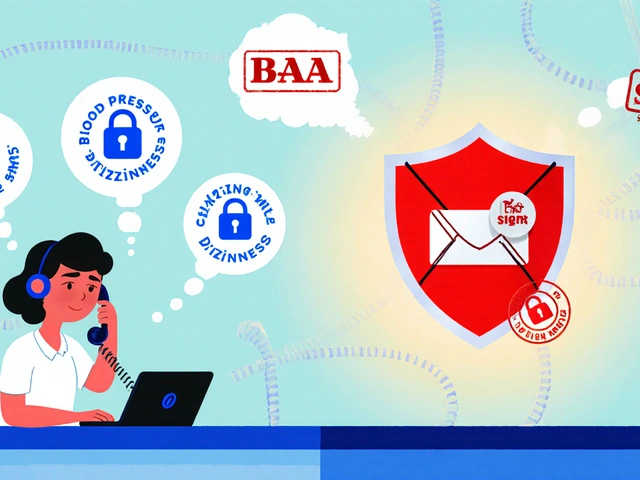
You think your calls are private because you see a padlock icon on your screen. But that icon often only tells half the story. If your VoIP phone stores its cryptographic keys in plain text or uses weak software-based storage, a thief with five minutes of physical access can clone your device and listen to every conversation you have had for months. This isn't theoretical. It’s a common oversight in businesses that prioritize cheap endpoints over robust architecture. True VoIP phone security requires more than just encrypting data while it travels across the internet; it demands protecting the data when it sits idle inside the handset.
Most people confuse network encryption with device security. They assume that because their provider uses Transport Layer Security (TLS) and Secure Real-time Transport Protocol (SRTP), they are safe. That is a dangerous assumption. Network protocols protect data in transit. Hardware encryption protects data at rest. Without both, you have a hole in your armor. Let’s break down how modern secure devices work, why hardware matters, and what you should look for when buying your next desk phone.
The Two Layers of VoIP Protection
To understand why hardware matters, you first need to grasp the two distinct layers of protection in any voice call. Think of it like sending a sealed letter through the mail. One layer protects the envelope during delivery. The other protects the contents if someone steals the letter from your mailbox before you read it.
In VoIP terms, these layers are signaling and media. Signaling involves the setup and teardown of the call-knowing who is calling whom, when, and using which port. Media is the actual audio stream. To secure signaling, we use SIP over TLS. This encrypts the metadata so eavesdroppers can’t see who you’re talking to. To secure media, we use SRTP. This scrambles the voice packets so no one can listen in. Both are essential. If you have TLS but not SRTP, an attacker can see who you called but can’t hear what you said. If you have SRTP but not TLS, they can’t hear the words, but they might capture the session keys needed to decrypt the audio later.
| Protocol/Feature | Protects | Vulnerability if Missing |
|---|---|---|
| SIP over TLS | Signaling (Call setup, user IDs) | Caller ID spoofing, call interception |
| SRTP | Media (Voice audio/video) | Eavesdropping on conversations |
| AES-256 Flash Storage | Data at Rest (Keys, configs) | Credential theft via physical access |
| Trusted Execution Environment (TEE) | Key Processing | Firmware malware stealing keys |
Here is where most deployments fail. Administrators enable TLS and SRTP on the server side and assume the job is done. But if the phone itself stores the secret keys used for this encryption in a readable format, the security is fragile. An attacker doesn’t need to crack the AES-256 encryption of the voice stream in real-time. They just need to extract the key from the phone’s memory and record the unencrypted traffic as it passes through the network switch.
Why Software Encryption Isn’t Enough
Software encryption relies on the operating system and application code to handle sensitive data. In many older or budget IP phones, configuration files containing SIP usernames, passwords, and cryptographic keys are stored in non-volatile RAM (NVRAM) or flash memory without strong encryption. Sometimes they are obfuscated, which is just a fancy word for "harder to read," but not mathematically secure.
If a bad actor gets physical access to a standard IP phone, they can often dump the firmware or connect to the serial debug port. From there, extracting credentials takes seconds. Once they have your SIP credentials, they can register their own softphone or rogue device under your extension number. Now, they can intercept incoming calls or make outgoing calls billed to your account. This is known as toll fraud or vishing (voice phishing).
Hardware encryption changes this dynamic. It moves the critical security functions out of the general-purpose operating system and into specialized silicon. This means even if the main OS is compromised by malware, or if the device is physically opened up, the keys remain locked away in a secure enclave.
Hardware Encryption Technologies Explained
Not all "secure" phones are created equal. Vendors use different technologies to achieve hardware-level security. Understanding these distinctions helps you choose the right device for your risk profile.
AES-256 Flash Encryption is the baseline for modern secure devices. As detailed in Yealink’s security white papers, this technology ensures that all user data written to the phone's internal storage is encrypted using a 256-bit symmetric key algorithm. Crucially, the master key used to decrypt this data is also encrypted. This creates a hierarchy of protection. If you pull the flash chip out of the phone, you get gibberish. You cannot recover your SIP password or configuration settings without the device-specific hardware key, which is burned into the processor and never leaves the chip.
Trusted Execution Environments (TEE) take security a step further. Nextiva’s newer T8X series phones, for example, run Linux 6.1 and utilize TEE hardware. A TEE is a separate processing area within the main CPU that is isolated from the rich operating system. Sensitive operations, such as generating random numbers for encryption or handling TLS handshakes, happen inside this sandbox. Even if a virus infects the Linux kernel running the phone’s apps, it cannot peek into the TEE to steal the private keys used for SRTP decryption.
Hardware Security Modules (HSMs) represent the gold standard, typically found in high-end enterprise deployments or integrated solutions like those involving Polycom and Entrust. An HSM is a dedicated physical computer designed specifically to manage digital keys. In some architectures, the phone offloads certificate generation and key storage to an external HSM in the data center. The private key never exists in software form outside the HSM. For organizations subject to strict compliance like PCI DSS or HIPAA, this level of assurance is often mandatory because it provides auditable proof that keys were never exposed to vulnerable software environments.

Configuration Pitfalls That Undermine Hardware Security
You can buy the most secure phone on the market, but if you configure it poorly, you’ve wasted your money. I’ve seen countless setups where expensive hardware was rendered useless by default settings. Here are the three biggest mistakes I encounter in Madison offices and remote teams alike.
- Leaving SRTP Disabled: Most hardware phones ship with SRTP turned off by default. Why? Because it adds latency and complexity. If you don’t explicitly go into the "Audio Settings" and set SRTP Mode to "Enabled and Forced," your voice traffic is still traveling in clear RTP packets. Check your provider dashboard too. Some providers require you to toggle "Call Encryption" per user, not just globally.
- Accepting Legacy TLS Versions: Your phone might support TLS 1.3, but if your PBX or gateway forces a handshake using TLS 1.0 or 1.1, you are vulnerable to known cryptographic attacks. Always enforce a minimum TLS version of 1.2, preferably 1.3, on both the device and the server. HostedNetwork guides often highlight the need to manually adjust the "Minimum TLS Version" parameter, as defaults can be surprisingly outdated.
- Ignoring Provisioning Security: How does your phone get its configuration? If it downloads a config file over HTTP instead of HTTPS, an attacker on the local network can modify that file in transit. They could change the SIP server address to point to their own malicious proxy. Ensure your provisioning URLs use HTTPS and consider using MAC-address-based filtering so only authorized devices can download configurations.
Comparing Secure Devices: What to Look For
When shopping for new handsets, ignore the marketing fluff about HD voice quality for a moment. Look at the spec sheet for these specific security attributes. The table below compares typical feature sets across different tiers of VoIP hardware.
| Feature | Budget/Legacy Phones | Mid-Range Enterprise | High-Security/Compliance |
|---|---|---|---|
| Storage Encryption | None or Obfuscated | AES-256 Flash | AES-256 + TEE Isolation |
| Key Management | Software NVRAM | Encrypted File System | HSM-backed or Secure Element |
| OS Support | Proprietary RTOS | Linux (Older Kernel) | Linux 6.1+ with Secure Boot |
| Best For | Home Office / Low Risk | General SMB Use | Finance, Healthcare, Gov |
Note that performance plays a role here. Hardware encryption and TEE operations add computational overhead. Cisco’s recent guidance suggests applying encryption selectively. Do you really need end-to-end hardware isolation for the warehouse scanner phone? Probably not. But for the CFO’s desk phone or the receptionist who handles client disputes? Absolutely. Segment your deployment. Use high-security devices for sensitive roles and standard encrypted devices for low-risk areas to balance cost and latency.

Real-World Implementation: A Step-by-Step Checklist
So, how do you actually deploy this? Don’t just plug it in. Follow this workflow to ensure your hardware security features are active.
- Verify Provider Compatibility: Before buying, confirm your VoIP provider supports SIP over TLS and SRTP. Ask them specifically if they support DTLS-SRTP or SDES-SRTP. Mismatches here cause one-way audio issues.
- Update Firmware Immediately: Out-of-the-box firmware is rarely the most secure. Update to the latest stable release provided by the manufacturer. This patches known vulnerabilities in the SSL/TLS libraries.
- Enable Secure Boot: If your device supports it (like Nextiva T8X or Yealink models with TEE), enable Secure Boot. This ensures that only digitally signed firmware can run on the device, preventing attackers from flashing custom malware.
- Configure TLS/SRTP Manually: Log into the phone’s web interface. Navigate to Account Settings. Set SIP Transport to TLS. Set Media Encryption to SRTP (Force). Save and reboot.
- Test with Packet Capture: Don’t trust the UI. Run Wireshark on your PC connected to the same switch. Make a test call. Filter for `sip` and `rtp`. You should see `TLS` records, not raw UDP packets. If you see RTP, your media is not encrypted.
- Enforce 2FA for Device Onboarding: As NFON recommends, require two-factor authentication when adding new devices to your management portal. This prevents unauthorized phones from joining your network using stolen admin credentials.
The Future of VoIP Hardware Security
We are moving toward a world where security is invisible. Vendors like Grandstream and Poly are integrating more robust security chips directly into the baseband processors. We will likely see widespread adoption of post-quantum cryptography algorithms in hardware accelerators within the next few years, preparing our phones for the day when quantum computers can break current RSA standards.
For now, however, the focus remains on closing the gap between network transport and device storage. The era of "trust me, it’s encrypted" is over. You need verifiable, hardware-backed proof. Whether you choose a phone with AES-256 flash encryption or a full TEE implementation, the goal is the same: make it impossible for a physical thief to extract your secrets in seconds.
Security is a chain, and your phone is the final link. If that link is made of plastic and plain text, the whole chain breaks. Invest in hardware that matches the sensitivity of your conversations. Your clients-and your legal team-will thank you.
Do I need both TLS and SRTP for my VoIP calls to be secure?
Yes. TLS encrypts the signaling information (who is calling whom), while SRTP encrypts the actual voice media. Using only one leaves either the metadata or the conversation itself vulnerable to interception.
What is the difference between software and hardware encryption in VoIP phones?
Software encryption processes data using the phone's main CPU and OS, making keys potentially accessible to malware or physical extraction. Hardware encryption uses dedicated silicon (like TEE or HSMs) to isolate keys and perform cryptographic operations in a protected environment, resisting physical tampering and software attacks.
Is AES-256 sufficient for VoIP phone security?
AES-256 is considered a strong standard for data-at-rest encryption. However, it must be implemented correctly with proper key management. For high-compliance environments, combining AES-256 with Trusted Execution Environments (TEE) or Hardware Security Modules (HSMs) provides additional layers of protection against sophisticated attacks.
Can I tell if my VoIP calls are encrypted?
You can verify this by checking your phone's status screen (often shows a lock icon) or by using a packet sniffer like Wireshark. Encrypted signaling will show as TLS records rather than plain text SIP messages, and encrypted media will appear as SRTP packets rather than RTP.
Does hardware encryption affect call quality or latency?
Modern hardware encryption has minimal impact on perceived call quality. While there is slight computational overhead, dedicated hardware accelerators handle the heavy lifting, keeping latency increases negligible for most users. Poorly configured software encryption may cause more noticeable delays.






Write a comment