



Choosing the right VoIP provider isn’t about picking the cheapest plan or the one with the most flashy features. It’s about finding a system that actually works for your business-today and next year. If your calls drop during client meetings, your team hates the interface, or you get hit with surprise fees at the end of the month, you’re not saving money-you’re losing time, trust, and revenue.
In 2026, 85% of businesses have ditched old phone systems for VoIP. But not all VoIP providers are built the same. Some are designed for startups with five employees. Others are engineered for hospitals handling thousands of secure calls daily. The difference? How well they match your real needs.
1. Network Readiness: Don’t Skip This Step
Most VoIP failures don’t come from the provider-they come from your network. If your internet can’t handle voice traffic, no amount of fancy software will fix it.
Every active call needs about 100 Kbps of stable bandwidth. For a team of 20 people making calls at the same time, that’s 2 Mbps just for voice. But bandwidth isn’t enough. You also need:
- Latency under 150ms (delay between speaking and hearing)
- Jitter under 30ms (variation in packet arrival times)
- Packet loss under 1%
Providers like Nextiva and Vistanet offer free network assessment tools. Run one before signing anything. If a provider doesn’t offer this, walk away. A 2025 Gartner study found that 68% of VoIP failures happened because companies skipped this step.
One Madison-based dental office switched providers without testing. Within a week, their appointment confirmations kept dropping. They lost 12 bookings in two days. A simple network check would’ve caught their upload speed was only 5 Mbps-too low for 12 concurrent calls.
2. Call Quality and Uptime: 99.9% Isn’t Good Enough
Most providers claim “99.9% uptime.” That sounds great-until you realize that means nearly 9 hours of downtime per year. For a business that relies on calls, that’s unacceptable.
Top-tier providers like Nextiva and RingCentral now guarantee 99.999% uptime-also called “five nines.” That’s less than 5 minutes of downtime per year. It’s not marketing fluff. It’s what enterprise clients demand.
But uptime isn’t the only thing. Call quality depends on where the provider’s servers are located. Providers with Points of Presence (POPs) within 500 miles of your office reduce call drops by 37%, according to Cloudtalk.io’s 2026 data. If your team is in Chicago and your provider’s only data center is in California, expect lag and dropped calls.
3. Security and Compliance: It’s Not Optional
Your calls aren’t just conversations-they’re sensitive data. Patient records, financial details, legal discussions-all traveling over the internet.
Look for:
- AES-256 encryption for voice data
- TLS/SRTP to protect media streams
- STIR/SHAKEN compliance-this stops spoofed calls and prevents your numbers from being blocked
- Multi-factor authentication for admin access
Healthcare providers must have HIPAA-compliant systems. Vistanet’s HIPAA setup takes 3 days. Generic providers? 14 days. That’s two weeks of non-compliant calls.
And don’t ignore FIDO2 authentication. By 2026, 63% of enterprise VoIP providers require it for admin logins. It replaces passwords with biometrics or security keys-far more secure.
4. Integration: Your Phone Should Talk to Your Other Tools
VoIP isn’t just a phone anymore. It’s your customer service hub. If your phone system can’t connect to Salesforce, Microsoft 365, or Zoho, you’re forcing your team to switch between apps-wasting time and creating errors.
According to Bonvoice’s 2026 Trends report, 92% of businesses with 10+ employees require native integrations. That means:
- Click-to-call from your CRM
- Automatic call logging
- Real-time customer data popping up when a call comes in
Vonage leads here with its developer-friendly API, but it’s not for everyone. If you’re not tech-savvy, you’ll need a developer to set it up. Nextiva offers pre-built integrations out of the box-no coding needed.
Ooma? Great for basic calling, but no CRM integration. If you’re a sales team, avoid it.

5. Pricing: Watch for Hidden Costs
Here’s the trap: $13.99 per user/month sounds amazing. But that’s just the base price.
Check for these hidden fees:
- Number porting (can cost $10-$25 per number)
- International calling (some providers charge $0.10/minute-$500/month if you call overseas often)
- Premium support (24/7 access might cost extra)
- Advanced features like call recording or AI analytics
James Carter from Enterprise Networking Planet warns: “Hidden costs can add 25-40% to your quoted price.”
Compare real total costs:
| Provider | Price per User/Month | CRM Integration | 24/7 Support | AI Features | Hidden Cost Risk |
|---|---|---|---|---|---|
| Nextiva | $20 | Yes (native) | Yes (avg. 8 min response) | Yes (call analytics, AI agents) | Low |
| Vonage | $13.99 | Yes (API-based) | No (avg. 47 min response) | Yes | High |
| Ooma | $19.95 | No | Business hours only | No | Medium |
Nextiva costs more upfront-but you get fewer surprises. Vonage is cheaper, but if your team needs help at 2 a.m., you’re on your own.
6. AI Features: The New Standard, Not a Bonus
In 2023, only 32% of VoIP providers offered AI tools. By 2026, it’s 78%. This isn’t sci-fi-it’s saving businesses time and money.
Top AI features include:
- AI voice agents that handle routine inquiries (e.g., “What are your hours?”)
- Conversation intelligence that transcribes calls and highlights key moments
- Real-time sentiment analysis that alerts reps when a customer is frustrated
According to Bonvoice, AI agents reduce average call time by 22 seconds per call. That’s 10+ hours saved per rep per month.
IDC predicts providers without AI will lose 30% of their market share by 2027. If you’re buying a system today, it must have these tools-or you’re already falling behind.
7. Support and Training: Your Team Needs Help
Even the best system fails if your team doesn’t know how to use it.
Look for providers that offer:
- Role-based training (sales vs. support vs. admin)
- Video tutorials (not just PDFs)
- Onboarding specialists
Gartner found that businesses using video training had 92% user satisfaction. Text-only guides? Only 67%.
And support matters. Nextiva’s average response time is 8 minutes. Vonage’s is 47. If your system goes down during a product launch, who do you call? And how fast do they answer?
8. The SEAT Framework: A Proven Selection Method
Technology analyst Sarah Chen from Gartner recommends the SEAT method:
- Shortlist-pick 3 providers that match your size and industry
- Evaluate-run network tests, check compliance, review integrations
- Assess-compare total cost, support, and AI features
- Trial-test the system for 14 days with real calls
Don’t skip the trial. Even if a provider promises “crystal-clear audio,” test it with your actual internet, your team’s devices, and your most common call types.
One logistics company in Ohio tested three providers. Two sounded fine in demos. But during the trial, one kept dropping calls during peak hours. Turns out, their warehouse had metal walls that blocked Wi-Fi. The provider had no solution. The third provider? They suggested switching to wired phones. They won the contract.
What to Avoid
Here are the biggest red flags:
- No network assessment tool offered
- No STIR/SHAKEN compliance
- Price listed without breakdown of add-ons
- No CRM or Microsoft 365 integration
- Zero AI features
- Reviews mentioning “unexpected fees” or “no real support”
And remember: the cheapest option is rarely the best. The goal isn’t to save $5/user/month. It’s to avoid losing $5,000 in missed sales because your calls kept dropping.
Final Checklist
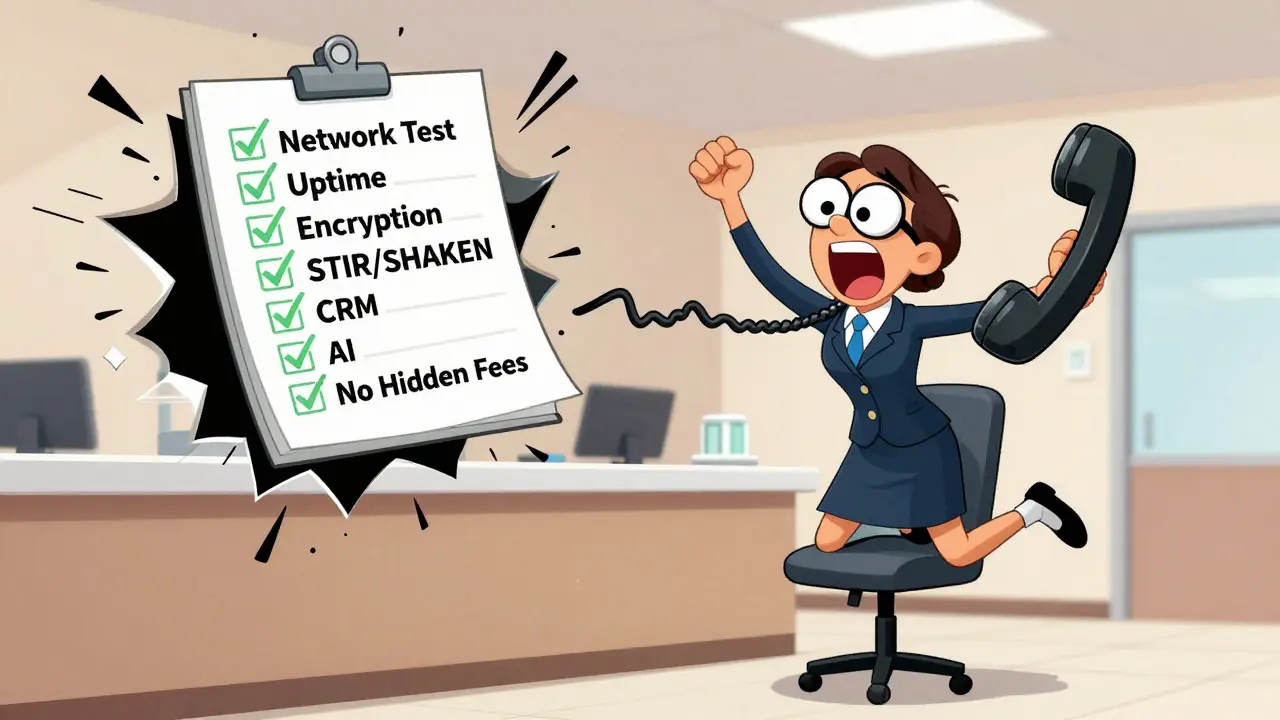
Before signing anything, verify these 7 items:
- ✅ Network assessment completed
- ✅ 99.999% uptime guarantee
- ✅ AES-256 + TLS/SRTP encryption
- ✅ STIR/SHAKEN compliant
- ✅ Native CRM integration (Salesforce, Microsoft 365, etc.)
- ✅ AI features included (not upsells)
- ✅ Transparent pricing with no hidden fees
If you can’t answer yes to all seven, keep looking. Your business communication system isn’t a gadget-it’s your lifeline to customers.
What’s the most important factor when choosing a VoIP provider?
The most important factor is network readiness. Even the best VoIP system will fail if your internet can’t handle voice traffic. Run a network assessment before signing any contract. Latency, jitter, and packet loss matter more than price or features.
Is VoIP cheaper than a traditional phone system?
Yes, but only if you avoid hidden costs. VoIP eliminates hardware and long-distance fees. But many providers charge extra for number porting, international calls, or premium support. Always ask for a full cost breakdown-including add-ons-before signing.
Do I need IT staff to use VoIP?
Not necessarily. Many modern VoIP systems are cloud-based and self-configured. Providers like Nextiva and Ooma offer plug-and-play phones and web-based dashboards. However, if you need advanced integrations or custom API setups, you’ll need someone with technical skills-or hire a consultant.
Can I keep my existing phone number?
Yes, almost always. Number porting is standard. But it takes 5-7 business days on average. Make sure your provider handles it for you and gives you a clear timeline. Don’t cancel your old service until the transfer is complete.
What’s the difference between VoIP for small businesses and enterprise VoIP?
Small business VoIP focuses on simplicity and low cost-think Ooma or Vonage. Enterprise VoIP adds advanced features: multi-location support, API integrations, compliance (HIPAA, GDPR), AI analytics, and 24/7 enterprise-grade support. Nextiva and RingCentral serve both, but their enterprise plans include more security, scalability, and SLAs.
Are AI features worth it for small businesses?
Yes-even for small teams. AI voice agents can handle basic questions like “What are your hours?” or “Do you offer delivery?” That frees up your staff for complex tasks. Call analytics help you spot training gaps. If your provider offers AI as part of the base plan, it’s a no-brainer.
How long does VoIP implementation take?
For small businesses (1-25 users), it takes 7-14 days. For larger companies, 21-30 days. The biggest delay? Number porting (5-7 days). Training your team adds another 3-5 days. Plan ahead-don’t wait until your old phone contract expires.
What happens if my internet goes down?
Good providers offer failover options: calls automatically reroute to mobile phones or landlines. Always ask how this works before signing up. Some providers charge extra for this feature. Make sure it’s included.









Nicholas Zeitler
24 Jan 2026 at 08:16Network readiness is everything-seriously. I’ve seen teams spend months on fancy VoIP systems, only to realize their upload speed is 3 Mbps, and they’re trying to run 18 concurrent calls… with a router from 2018. Run the test. Don’t trust the provider’s ‘guaranteed’ numbers. Use their tool, or use Speedtest.net with jitter and packet loss enabled. If your jitter is above 30ms? You’re already losing clients. And yes-I’ve lost deals because of this. Don’t be that guy.